
Top Content Strategy Courses 2026

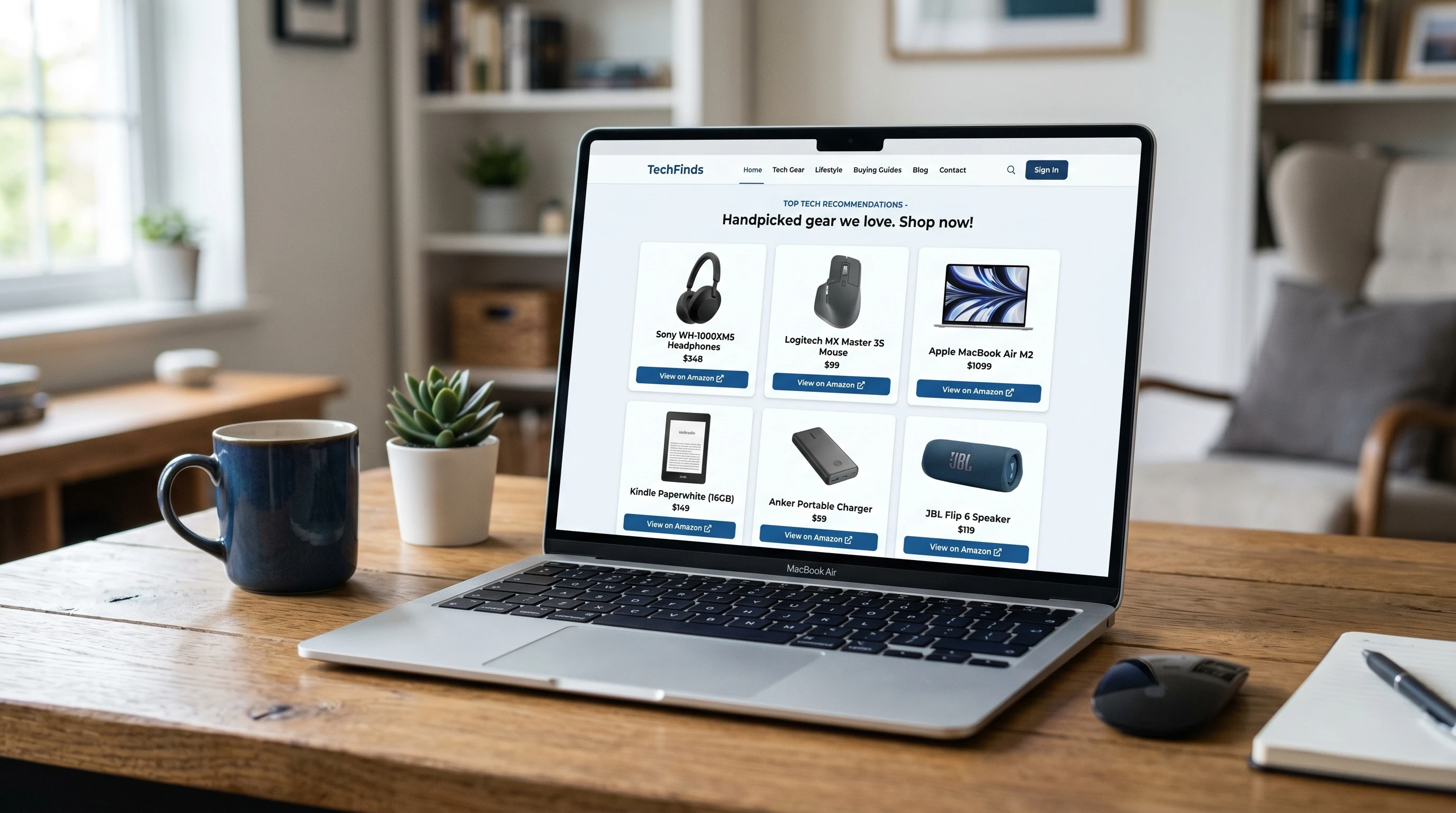
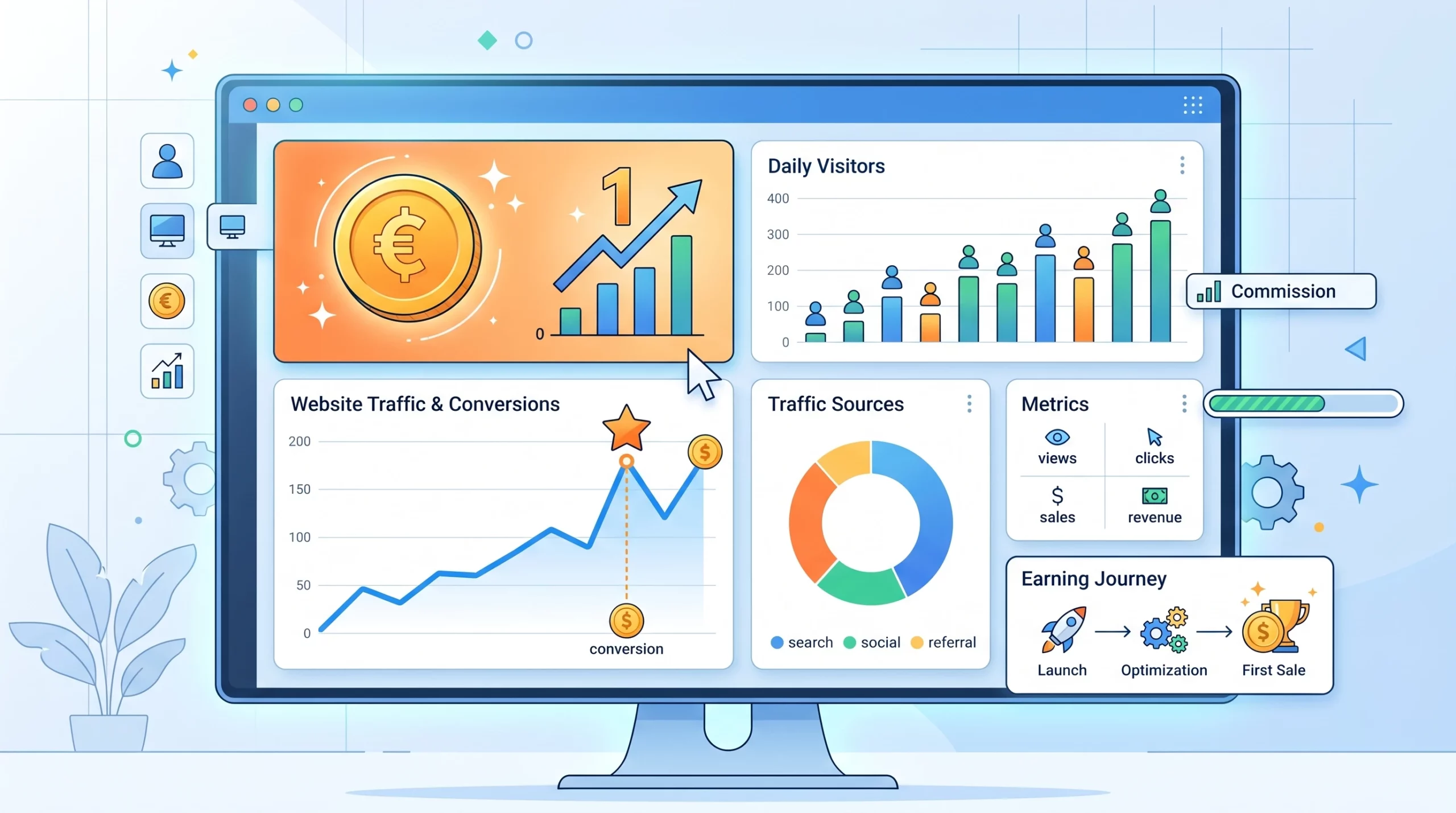
A computer screen filled with various digital content strategy icons

Growing your influence online and reaching the right people with your message is all about having a content strategy that actually works. With algorithm changes, new platforms popping up, and audience expectations switching up, figuring out how to make content hit the goalposts can feel overwhelming.

If you’ve felt stuck making content that doesn’t get seen, unsure where to start your content planning, or just want to understand how the pros manage blogs, video, and social posts like clockwork, content strategy courses are one of the best ways to take your content up a notch. Well-designed courses can help anyone—from beginners to those with years of marketing under their belt—break through noise and establish a system that grows audiences or businesses for real.

I’ve spent time researching, testing, and gathering feedback about all sorts of courses out there. Here’s a roundup of the top content strategy courses for 2026 that can help you develop, structure, and manage a modern content plan, whether you’re rolling solo or building a team.


1. Content Marketing Institute (CMI) Masterclass: Foundation & Advanced Tracks

CMI’s content strategy masterclass consistently comes up in discussions with marketers and business owners. The best part? It covers everything from the basics (like setting up your first strategy doc) to more complex topics (audience journey maps and multichannel planning).

Who This Course Is For:

  • Marketers looking for formal certification
  • Freelancers and consultants aiming for clientbased work
  • Business owners who want to manage teams

The content is split into easy to follow segments and includes assignments, checklists, and templates. The instructors are hands on and bring decades of firsthand experience to each lesson, sharing tips you can actually use right away.

Topics Covered:

  • Building a strategy from scratch
  • Tools for content audits
  • Keyword and audience research for blogs, social, and newsletters
  • Content distribution tactics that work in 2026
  • Realworld framework examples

CMI includes both video and text lessons, which is super useful if you like to switch back and forth, along with a robust online community.


2. HubSpot Academy: Content Strategy Course (2026 Update)

HubSpot’s free content strategy course stands out because it covers modern SEO principles, the role of AI in content planning, and channelspecific approaches. It’s friendly for beginners but also goes deep on strategylevel thinking, which helps if you feel ready to move past just making blog posts.

Highlights That Make It Worth Checking Out:

  • Step by step frameworks for planning, creating, and distributing content
  • Real content calendars and templates you can download
  • Advice on optimizing older content for new algorithms
  • Mini capstone projects at the end of each module

The lessons are concise and engaging, with short quizzes that reinforce key ideas. HubSpot’s instructor team features people who’ve actually run anysize content programs—from startups to global brands—so you’ll get practical guidance you can use immediately.


3. Coursera – Content Strategy for Professionals (Northwestern University)

Coursera’s Northwestern University course is one of the most detailed and academically rigorous. This is perfect if you want to dig into strategy thoroughly. The course runs over several weeks and brings together strategy theory, hands on projects, and breakdowns of case studies from top organizations.

You’ll Learn:

  • The core elements of effective content strategy planning
  • Storytelling principles for digital media
  • Brand voice development and crossplatform consistency
  • Research and analytics methods for strategy adjustments

You don’t need a marketing degree to join, but you should set aside a few hours weekly to make the most of peer discussions and assignments. The peer reviewed projects at the end help you put what you’ve learned into realworld situations.


4. Copyblogger Academy: The Modern Content Strategist Track

Copyblogger’s reputation for practical, no nonsense training stands strong here. The Modern Content Strategist Track is perfect for solo creators, inhouse writers, and business owners who need actionable frameworks instead of theory overload.

Why This Course Is Practical:

  • Short lessons you don’t have to consume in one sitting
  • Checklists for planning, writing, and measuring success
  • Plenty of howto breakdowns for newsletters, blogs, pillar pages, and even TikTok shorts
  • Feedback opportunities from course leaders and a private forum

Time saving resources like doneforyou content map templates save hours off your planning schedule. The weekly Q&As let you troubleshoot in real time with the community and instructors.


5. LinkedIn Learning: Becoming a Content Strategist in 2026

LinkedIn Learning courses are super accessible if you like shorter lessons with a direct, business focused style. The Becoming a Content Strategist course for 2026 has been updated to include AIdriven research, crossfunctional teamwork, and even workplace wellness for strategists.

Key Benefits:

  • Quick modules so you can learn on your lunch break
  • Downloadable worksheets and campaign planners
  • Interview clips with professionals working in content strategy right now
  • Integration with LinkedIn for easy resume additions

This course is great for jobseekers, people moving over from adjacent roles (like copywriting or PR), and small businesses who want a total view of what works.


6. Udemy: Content Strategy & Marketing Blueprint (2026 Edition)

Udemy’s blueprint course packs realworld tips, templates, and case studies into quickmoving lessons. The instructor is actively working as a strategist. You also get access to bonus lectures every time the algorithm or content trends switch up, which keeps things fresh and practical all year.

You’ll Get:

  • Foundational planning steps (goals, audience building, and brand messaging)
  • Visual content strategy for social, blogs, and even podcasts
  • Walkthroughs of analytics dashboards
  • A section for freelance strategists, covering contracts and pitching

Perfect for both DIY marketers and growing teams, you’ll have lifetime access so you can revisit materials during campaign crunch times.


7. Demand Curve: Strategic Content Growth for Startups

Demand Curve’s program focuses specifically on startup growth and acquisition via content, so if you’re looking to move the needle for a SaaS, app, or product business, this is a course that delivers. The instructors have hands on startup backgrounds, and you won’t get weighed down in corporate marketing theory.

Main Features:

  • Discovery sprints to map audience problems into content opportunities
  • Funnels for B2B and B2C products
  • Weekly strategy clinics with expert mentors
  • Real business case breakdowns

The ondemand clinic system helps you fix bottlenecks in your content plan, and the private founder forums are loaded with actionable templates.


8. Academic Option: University of California, Berkeley – Professional Certificate in Content Strategy

Berkeley’s professional certificate is a wellstructured mix of asynchronous video, written assignments, and group projects. While it does cost more than some shorter format options, you get a deeper academic perspective and access to industry guest lectures.

This Program Features:

  • Strategic campaign planning
  • Content architecture for web and mobile
  • Usability and accessibility standards
  • Weekly instructor feedback on assignments

Expect a universitycaliber experience with the flexibility to fit busy schedules. On completion, you’ll receive a recognizable credential and real connections to course alumni and guest experts.


Key Skills You Should Expect to Learn

Any high quality content strategy course in 2026 should give you these practical skills:

  • Audience research and persona creation, including hands on interviews and digital analytics tools
  • Multiplatform content mapping: planning blogs, videos, podcasts, and newsletters seamlessly
  • SEO and keyword research (for both site and social channels)
  • Workflow development with project management platforms (think Trello, Asana, or Notion)
  • Content audit and refresh techniques to keep content performing at its best
  • Measurement, goal tracking, and reporting with dashboards or analytics tools
  • Personal and brand storytelling that connects with your chosen audience

While different courses put their own spin on the details, these skills show up again and again in both online and inperson offerings. Being able to connect creative ideas with actual business outcomes is one of the most requested traits among digital teams, so picking a course that offers assignments, templates, or case studies really helps here.


How to Pick the Right Content Strategy Course For You

Narrowing down the best fit can feel tricky, but you’ll want to think about a few key things:

  • Learning style: If you prefer video, look for courses with short, focused lessons you can watch on the go. For hands on learners, prioritize assignments and live projects. If you’re a reader or want to go at your own pace, selfstudy modules with downloadable resources are great.
  • Time commitment: Weekly live sessions, peer projects, or capstone assignments mean you’ll need to block out time. Others are selfpaced, making them easier to slip into busy weeks.
  • Budget: Free courses (like HubSpot Academy) are perfect for dipping your toes in, but paid options usually offer deeper instructor feedback and more robust resources.
  • Career goals: If you want a job in content strategy, choose a course that awards a recognized certificate or includes portfolio projects you can show employers. For business owners, look for real campaign examples and community access for ongoing support.
  • Instructor access: Direct Q&A opportunities, live office hours, or private forums are a real boost, letting you get answers fast and network with other learners.

Checking course reviews and reaching out to instructors or alumni can also help you decide if a program really delivers what you need. Try to check in with a few current or former students if you can.


Extra Resources That Pair Well With Courses

Signing up for a course is a strong move, but adding in a few extra tools or communities can give your learning a major boost:

  • CMI Blog covers everything from trends to tactical howtos and is updated regularly.
  • Copyblogger is great for writingcentric strategy advice and timesaving templates.
  • Moz Blog is my favorite for keeping up with SEO changes and content optimization tips.
  • Reddit’s Content Marketing community features real questions and peer support, with indepth discussions on tools, strategy, and results.
  • Canva offers free and paid templates for content visuals and social campaigns, which helps bring ideas to life visually, without a design background.

Staying connected to a few of these resources means you’ll have a place to ask for feedback, spot trends early, or troubleshoot roadblocks as you go through your course material.


Choosing a Course That Keeps Up With 2026 Trends

This year, AIassisted research and creation, personalized content adventures, and voicesearch optimization are bigger than ever. If you want to futureproof your skills, look for:

  • Sections on integrating AI content tools that keep your voice authentic
  • Case studies on winning with microcontent (like shorts, reels, and stories)
  • Lessons about accessibility and inclusivity in digital content planning
  • Guidance on adapting strategy to new platforms as they arise

Courses that update regularly or have bonus sessions addressing new trends will help you stay current beyond your first few months of learning.


Wrapping Up

Building a content strategy that actually works is a lot easier when you mix proven frameworks, real projects, and timely industry insights. The content strategy courses in this roundup cover all these bases, so you can start making content that grows your reach, builds trust, and gets results. Whether you’re jumping in as a beginner or sharpening your advanced skills, learning from others who’ve been there can make a huge impact—it sets you up for success long past 2026.

Have questions or your own recommendation for a content strategy course? I’m always up for sharing notes. Drop a comment or let me know what you’re looking for in your next course!

Top Courses On AI For Creators

AI courses concept with digital elementsArtificial intelligence (AI) is popping up everywhere, and creators—whether you make art, music, videos, games, or work with digital tools—are getting more curious about how AI can help take projects up a notch. With so many new tools launching every month, it’s easy to feel a bit lost on where to start learning. But quality online courses can speed things up, save time, and help you build real confidence instead of just poking around randomly.

If you’re wondering how to actually use AI for your own creative work, there are a bunch of beginner friendly and indepth courses out there that can make things a lot clearer. Picking the right one isn’t just about tech talk—it’s about finding classes that match your personal style, stretch your creative approach, and show you what’s really possible.

I’ve rounded up some of the best AI courses for creators across different skill levels and creative fields. These aren’t just dry tutorials. They’re designed for people who want to use AI to make, remix, write, design, and share next-level cool stuff. Here’s my take on what’s worth checking out if you’re excited to bring your creative projects and ideas to life using AI.


1. Exploring AI for Creative Projects

AI can sound pretty technical at first, but a lot of top courses break things down so you can get hands on fast. Courses in this area help you understand the basics and real world use cases for artists, designers, writers, and other creative folks—not just programmers.

What to Look For:

  • Clear explanations of core AI concepts (like machine learning and neural networks).
  • Examples of how AI is being used for art, music, writing, and video.
  • Plenty of demos that show tools in action instead of only theory.
  • No coding required, or at least easy, step-by-step intros to tools like ChatGPT, DALLE, and more.

Courses I’ve found helpful here include Skillshare’s “Artificial Intelligence for Creators: An Introduction” and Coursera’s “AI For Everyone” by Andrew Ng. Both are super approachable and will get you thinking about creative applications in no time.

For those wanting more, check out introductory modules on YouTube or podcast series about creative AI, which often provide hands on walkthroughs and real creative examples. Sometimes, finding a mentor through an online community like Reddit or Discord can offer direct, actionable feedback to guide your learning.


2. AI Art Generation: From Images to Animation

One area where AI is having a huge impact is visual art. You can now generate totally new images, touch up your own work, and even animate simple sketches, all with the right AI models. Courses focused on AI generated art show not only how to use these tools, but also how to push your own artistic voice.

Key Skills Covered:

  • Creating digital art with tools like Midjourney, Stable Diffusion, or DALLE.
  • Prompt engineering—writing creative and targeted prompts for better results.
  • Editing and remixing AI art to fit your style using Photoshop or Procreate.
  • Intro to animation with AI, such as using text to animation platforms.

LinkedIn Learning’s “AI Tools for Designers” and Domestika’s “AI Art: Create with Midjourney and Other Tools” offer deep dives with lots of hands on practice. These courses start from scratch and walk you through real project workflows. If you’re visual first or curious about digital painting and illustration, these are great places to start.

To further step up your skills, try combining AI generated art pieces with traditional illustration techniques. For instance, export AI images to your favorite drawing app and add unique textures, colors, or details by hand. Some artists also share prompt lists or process videos on Instagram and TikTok, which can help you quickly pick up clever tricks and creative ideas.


3. Writing and Storytelling with Generative AI

Generative AI models like GPT4 and Claude are shaking up how writers brainstorm, draft, and edit everything from blog posts to scripts and even poetry. Some practical courses for creators focus on showing not just what these models can do, but also how to use prompts effectively, spot weaknesses in AI generated text, and add your own creative flavor.

Popular Course Features:

  • Prompt strategy for better, more interesting outputs.
  • Editing and factchecking text produced by AI.
  • Co-writing with AI to develop stories, characters, or marketing copy.
  • Exploring ethical and copyright questions in AI assisted writing.

Udemy’s “ChatGPT for Creatives: Unleashing AI in Writing” is beginner friendly and full of examples you can follow along with. There’s also “AI Content Creation: From Idea to Published” on Coursera, which shows lots of publishing tips. These courses are pretty handy for writers, marketers, and anyone working on online content or creative storytelling.

If you’re interested in poetry or fiction, join online writing groups that experiment with AI. Many creators share exercises and collaborative projects that push your writing in surprising new directions and help you build a vibrant creative network.


4. AI for Musicians, Audio, and Sound Designers

AI isn’t just for visual stuff—it’s changing music and sound design, too. Whether you want to remix tracks, generate new loops, or experiment with AI voice, there are courses built for creators who want to check out audio.

Handy Topics Covered:

  • Using AI tools for beat making and music composition (like AIVA, Amper, or Boomy).
  • Text to music generation and remixing audio samples.
  • Voice synthesis and AI based vocal editing in music production.
  • Ideas for using AI to support podcasting, sound art, and audio branding.

Skillshare offers “Music Production with AI: Creative Tools for Musicians” which covers both beginners and more advanced producers. For those into tech heavy music or experimental sound, taking a look at Berklee Online’s “Artificial Intelligence for Music Creation” is super useful, too. These help break down technical barriers so you can get involved right away and experiment.

You can also find many free demos on YouTube, where musicians explain how to blend AI sounds with acoustic recordings. Listening to AI remixes and posting your own for feedback is a great way to push past comfort zones and step up your sound.


5. Video Creation, Editing, and Filmmaking with AI

AI video tools have opened up new ways to script, edit, and even animate videos for YouTube, TikTok, marketing, and more. Some courses are designed to speed up post production or bring totally new ideas to life, even if you’re just starting out.

Topics You’ll Find:

  • AI powered video editing: automatically cut reels, colorcorrect, or fix audio.
  • Creating AI powered avatars and voiceovers for explainer videos.
  • Scriptwriting and scene planning with generative AI tools.
  • Animating images or turning text into short video clips with platforms like Runway or Synthesia.

Domestika’s “AI Tools for Filmmakers” gives creators a peek into pro workflows, while Skillshare’s “Quick Video Editing with AI” is geared for solo creators and small teams. If you’re trying to spend less time editing and more time creating, these types of courses speed things up a lot.

As you gain confidence, practice by producing short clips using AI tools, then gradually blend AI processes with your standard editing software. Getting feedback from filmmaking communities can accelerate your growth and help you fine-tune your style fast.


6. AI and Creative Coding: Making Interactive Art

Some creators want to dig into the code or even build their own AI powered apps for interactive art, games, or installations. There are coding friendly AI courses out there that start with the basics and ramp up slowly, often with no prior experience required.

Learning Highlights:

  • Using Python for art and design projects (Processing or p5.js).
  • Exploring open source AI models for interactive installations.
  • Building simple AI chatbots for creative writing or digital performances.
  • Mashing up generative art and coding for web or physical projects.

Udemy’s “Creative Coding with AI” is pretty accessible, even if you haven’t coded much before. There’s also Coursera’s “Creative Applications of Deep Learning with TensorFlow” for those ready for a deeper challenge. These courses show you how to use AI as a creative tool, not just a technical one.

Expand further by checking open source platforms like GitHub, where you can remix AI scripts or join forces with developers for collaborative art projects. Many interactive installations featured at galleries or festivals now offer workshops for beginners, so check locally for pop up events that could supercharge your learning.


7. Ethics, Copyright, and Responsible Use of AI

Using AI in creative work comes with some important questions about ethics and authorship. The top courses don’t just show off flashy tools—they help you think through the risks, rules, and grey areas, so your projects don’t run into trouble later.

Common Topics Covered:

  • Understanding copyright and fair use when working with AI generated content.
  • How to credit AI tools and respect original creators.
  • Identifying and avoiding bias or problematic outputs from AI models.
  • Exploring responsible AI use in public facing projects or business.

LinkedIn Learning’s “Responsible AI for Creators” covers these topics with practical advice. Many bigger courses, like Coursera’s “AI for Everyone,” also build ethics right into the curriculum. Knowing the rules gives you more freedom to take risks and try new things the right way.

Many creators also recommend joining legal workshops or sessions focused on AI copyright issues, which are sometimes hosted by professional artist organizations or creator unions. Staying up-to-date on new guidelines means your work stays legit as AI evolves.


8. Community, Feedback, and Personal Projects

One big bonus of top AI courses for creators is the chance to connect with others who share your interests. Some classes give you access to online communities, feedback from instructors, and creative prompts or project challenges. This is a game changer if you like learning by doing and want to stay motivated.

Why this Matters:

  • Courses with peer review and direct support mean you get constructive feedback fast.
  • Project based learning helps you turn course lessons into real work you can share or publish.
  • Seeing what others build with the same tools gives fresh ideas and inspiration.
  • Creative prompts and challenges help when you’re out of ideas.

Domestika and Skillshare courses tend to offer lively discussion boards and monthly challenges. Udemy includes a Q&A section where instructors often reply, and Coursera courses sometimes have dedicated project sections that let you show off your work. My advice: pick a course with an active community if you love bouncing ideas around and getting feedback.

You can also join public Discord groups or Facebook groups that focus on creative AI. Participating in hackathons or digital art jams, often announced through these networks, can keep your momentum high and your project list fresh.


9. Tips for Choosing the Right AI Course as a Creator

With so many courses flooding the web, it helps to know what to watch for before hitting “enroll.” Here are a few things I check:

  • Read through the course outline and check for lots of real life, creative examples (not just jargon).
  • Skim a few previews if they’re available, and see if you vibe with the instructor’s teaching style.
  • Look for hands on assignments or downloadable resources so you can practice as you learn.
  • Check reviews or ratings—both on the course platform and in independent creator forums like Reddit, Twitter, or Discord communities.
  • Start with something short and beginner friendly, even if you plan to jump into more later. Little wins early on will get you excited to keep learning.

Remember, your creative goals come first. Courses that offer flexibility, practical tips, and support tend to work better than superstructured academic ones, especially at the start.

Try to carve out regular time each week for creative learning, even if it’s just an hour or two. Pair online lessons with hands on projects to lock in new skills, and log your progress in a journal or blog to motivate yourself.


10. Moving Ahead: Your Next Steps with AI and Creativity

AI is changing the game for creators of all types. Whether you’re finishing up your first sketch, publishing music, writing blog posts, or building interactive stories, there’s never been a better time to add AI skills to your creative toolkit.

Pick a course that feels exciting and fits both where you’re at and where you want to go. You don’t need to become a coder overnight, and most great courses assume you’re there to create, not just sit through theory. With the right guidance, you’ll quickly find cool ways to use AI to save time, experiment boldly, and make your creative projects stand out.

Set personal milestones, like creating a project each month or sharing your progress with a creative community. The more you push your boundaries and mess around with AI tools, the faster you’ll spot new possibilities—some of which you might not have even imagined at the start.


Extra Resources to Keep Growing

Staying curious and trying out small projects is the secret to learning fast. These resources and courses are a starting point. You’ll probably develop your own workflow and style as you go. No matter what your background is, there’s space for you in the AI creator scene. Jump in and see what you can build! New challenges and opportunities keep showing up, so keep an open mind and keep making things—before you know it, you could be inspiring others to check out the creative edge of AI, too.

Best Affiliate Marketing Courses 2026

Best Affiliate Marketing Courses 2026Affiliate marketing continues to be one of the most popular online business models. Learning the right skills can make all the difference when it comes to earning real, lasting income. With changes in platforms, regulations, and tools every year, staying updated is really important if you want to have a long-term presence in this space.

If you’re new to affiliate marketing or looking to build on what you already know, finding a quality course can help you learn faster, avoid common mistakes, and stay motivated through real-world support. Not all courses offer the same value for your time and financial investment, so I’ve taken some time to check out current options and created this super detailed guide to the best affiliate marketing courses for 2026.

This article covers what makes a good affiliate marketing course, the top picks for different needs and experience levels, plus extra tips for choosing the right program for your learning style and goals.


The Essentials of a Good Affiliate Marketing Course

Before sharing my recommendations, I want to break down the core features every good affiliate marketing course should have. Understanding what sets apart reliable, practical courses from flashy but unhelpful ones will give you a head start.

  • All-in-one Curriculum: A good course covers the basics (like what affiliate marketing is and how it works), as well as advanced strategies, SEO, traffic generation, compliance, analytics, and tips for scaling.
  • Clear, Actionable Steps: Lessons should be easy to follow, with clear instructions and a step by step blueprint.
  • Up-to-date Content: Internet marketing changes fast; materials must be relevant to current affiliate tools, networks, and traffic platforms in 2026.
  • Real-life Examples and Assignments: Look for courses where instructors show real campaigns, walk through live case studies, or encourage you to start your own site or funnel.
  • Support Community: Access to an active forum, support group, or office hours can help you when you get stuck or need accountability.
  • Money-back Guarantee or Free Trial: Many top courses offer a window to try the training and get a refund if it doesn’t fit your needs.

With these points in mind, you can save yourself from wasting time or money on random, generic training that is outdated or not a good match for your needs.


1. Authority Site System (TASS) by Authority Hacker

I’ve seen the Authority Site System consistently praised in online business groups. After taking a closer look myself, I see why it’s so often recommended. This course walks you through building a contentbased affiliate site from scratch, and you don’t need a big monthly budget for ads.

Why it’s worth considering:

  • Gives you a step by step blueprint from niche research to content publishing and monetization.
  • Video lessons are well organized and beginner friendly.
  • Packed with templates, workflow checklists, and real examples from the instructors’ sites.
  • Updated regularly to match changes in SEO, Google algo updates, and affiliate best practices as of 2026.

Perfect for:

  • People who want to build long term content sites
  • Learners who like structure and easy to follow instructions

This course doesn’t focus on paid ads or social influencer marketing. If you’re someone who prefers steady content websites and long term success, TASS is a great choice.


2. Affiliate Lab by Matt Diggity

The Affiliate Lab is popular with those who like to get into technical lessons that really go deep. Matt Diggity, the creator, is known for running successful affiliate sites and openly sharing his testing and results.

Why I recommend it:

  • Covers SEO in detail, including advanced link building and site optimization for higher Google rankings.
  • Teaches you how to sell (flip) affiliate sites for extra profit.
  • Up-to-date with 2026 SEO, including voice and AI search modules.
  • Includes community access with Q&A and expert feedback.

Good choice for:

  • People focused on ranking sites with SEO
  • Marketers who want technical tips, checklists, and site audits

If you’re not comfortable with WordPress or analytics tools, it may feel advanced, so this is best for those with a bit of background already. For technical audiences, though, Affiliate Lab delivers lots of value.


3. Making Sense of Affiliate Marketing by Michelle Schroeder-Gardner

If you’re brand new or prefer a personal, relatable perspective, Michelle’s course is simple, straightforward, and full of practical tips. She shares her own blog stories, showing step by step how she built a six-figure affiliate income with modest traffic and a personal touch.

Key strengths:

  • Focuses on bloggers, Instagram, and Pinterest marketers.
  • Simple steps that anyone can follow—no tech expertise needed.
  • Passive income strategies along with clear tips for 2026 compliance and disclosure rules.
  • Email and promotional templates from her own successful campaigns.

Great for:

  • Writers, bloggers, and influencers with a contentdriven brand
  • Anyone looking for hands-on, encouraging advice from a relatable instructor

This course is a comfortable place to start if you want to earn commissions from your blog or social profiles, even if you don’t consider yourself technically skilled.


4. Commission Hero Pro by Robby Blanchard

Commission Hero Pro is ideal if you want to jump into paid traffic and affiliate offers right away, focusing less on blogging or SEO. Robby’s method relies on promoting offers primarily through paid Facebook and TikTok ads.

Why people pick this one:

  • Step by step system for creating landing pages, launching ads, and optimizing for sales.
  • Guidance on compliance for paid ads in 2026, including best practices and policy shifts.
  • Access to live group coaching and a private mastermind group.

Recommended for:

  • People happy to invest in ads and testing
  • Learners keen on accountability and hands-on support
  • Anyone interested in promoting physical or digital products using paid ads

If you’re keen on a business model that’s fast moving and don’t mind managing ad accounts or paying for traffic, this course matches your style. Just remember—you need a budget for ads and ongoing tests.


5. ClickBank University

ClickBank University has gotten a big update for 2026. It’s now a practical entry point for learning both how to become an affiliate and a digital product creator in one package.

What’s included:

  • Lessons on launching digital products and building funnels right on ClickBank.
  • Strategies for choosing offers, driving both free and paid traffic, and building up your email list.
  • Weekly live training and support forums for ongoing help.
  • Simple, jargonfree curriculum that suits any starting level.

Works well for:

  • Anyone interested in selling their own or others’ digital products
  • Marketers wanting to check out a major affiliate marketplace from every side

Some content does promote ClickBank, but the technical training gives you actionable, real world skills to use right away.


6. Legendary Marketer

Legendary Marketer offers multiple training programs, but their main 15-Day Online Business Challenge stands out in affiliate crowds. The direct video format covers business foundations, traffic, and high-ticket affiliate offers, spread across short, focused lessons.

Highlights:

  • Challenge structure with single day steps for easier momentum
  • Live coaches for Q&A and hands-on help
  • Special focus on video traffic—YouTube, TikTok, Instagram Reels
  • Legal and compliance training for the new affiliate marketing landscape of 2026

Best for:

  • People who want fast results and motivation
  • Marketers who like the idea of bigger commissions and possible consulting
  • Anyone who enjoys actionable, learn as you go challenges

The “learn by doing” style and supportive course community make it easier to stay consistent and commit to action.


How to Choose the Right Affiliate Marketing Course

With all of these options, narrowing things down can feel tricky. These basic questions help you find your best fit:

  • Are you more interested in content or paid ads, or maybe both?
  • Do you have a website, blog, or audience already, or are you starting fresh?
  • Do you like selfpaced videos, live coaching, or written materials?
  • How much can you budget for both training and tools like hosting or ads?
  • Are you hoping to promote physical, digital, or a mix of products?

Once you answer these, it’s much easier to compare course summaries and see which match your needs, preferences, and stage of business. I always check for up-to-date materials, refund options, and active support before signing up—those can really matter if you run into problems down the road.


Extra Tips for Affiliate Marketing Success in 2026

No course can guarantee you results unless you take regular action, learn from feedback, and keep going after setbacks. Here are a few tried and tested tips that help you get the most out of your affiliate training:

  • Pick set times every week to watch a lesson and put it into practice. Avoid rushing through in a single day.
  • Write down what you learn in your own words; start a list of next steps as you go.
  • Focus on a single traffic source or offer in the beginning. Doing too many things at once hurts progress.
  • Jump into the student group or community and ask questions—accountability makes a huge difference.
  • Track your milestones, even if it’s just a simple sheet or app.
  • Always keep an eye out for rules and policy changes from major affiliate networks or ad platforms so you can adjust quickly and stay compliant in 2026.

Steady action, a willingness to adapt, and connecting with other learners really add to your success over time.


Key Trends in Affiliate Marketing Education for 2026

The affiliate world changes nonstop, and the best 2026 courses are keeping up by covering new, trending topics in their training:

  • Short form video: More courses now have focused training on TikTok, Reels, and YouTube Shorts, since video content is key for affiliate sales today.
  • Voice search & AI: You’ll see new modules about how to step up your offers and content for smart speakers, voice searches, and AIdriven platforms.
  • Compliance: Legal and ethical rules about affiliate disclosures, ad copy, and privacy continue to change, so it’s more important than ever to doublecheck your campaigns.
  • Interactive learning: Look for live help, group coaching, and hands-on assignments to make your learning stick.

Always check course update dates and notes. Outdated training may look cheap but can put you far behind—make sure you’re studying what’s really current for 2026.


Final Thoughts

Building an affiliate marketing business that lasts in 2026 takes real knowledge, current tools, and a commitment to keep adapting as things change. The right course will save you lots of wasted effort if you pick one that fits your goals and your way of learning.

From my experience, sticking to a single method at a time, being active in course communities, and adjusting when platforms or rules change made all the difference. If you want to make affiliate marketing work this year, choose a course that excites you, go through the material step by step, and be patient as you develop new skills.

If you’ve tried any of these programs or want to share your own favorite, please drop your thoughts or questions below—I’d love to hear from you.

Best AI SEO Tools 2026

Best AI SEO Tools 2026Choosing the right AI SEO tools can make a big difference in your website’s search visibility. In 2026, artificial intelligence has reached a point where it takes over a lot of manual SEO work, helps spot new ranking opportunities, and makes content optimization much easier. Trying to keep up with constant search engine updates on your own isn’t realistic anymore, but with the right AI tools, I’m able to stay competitive.

Finding the best AI SEO tools for 2026 is a challenge, especially since the options keep growing. Each tool has its own strengths and unique features. Some focus on analyzing content and suggesting improvements, while others look after areas such as technical SEO and competitor tracking. I find that using a combination of tools usually delivers the best results, as no single tool covers everything flawlessly. My mission here is to keep things clear and practical, especially if you’re trying to choose the best AI SEO tool for your website or business.

Below, I’ll break down the top AI SEO tools for 2026, what makes them useful, and what you should know before adding them to your stack. I’ll also share tips from my experience on using these tools to improve website rankings, save time, and steer clear of common headaches.


1. Content Optimization: Surfer AI

When I need to improve website content and boost page rankings, Surfer AI consistently delivers. This AIpowered tool checks top search results for your target keyword, then gives clear recommendations on word count, keyword usage, headings, structure, and related topics. It surfaces actionable suggestions, so I don’t have to guess what’s missing or what Google wants to see.

How Surfer AI Works

  • OnPage Analysis: Surfer AI scans pages already ranking for your main keyword and points out exactly where your content falls short.
  • Optimization Recommendations: The tool provides a step-by-step checklist, making improvements quick and straightforward.
  • Content Briefs: It can generate content outlines and briefs using AI based on the latest ranking factors.

In 2026, Surfer AI connects with other SEO platforms and supports multiple languages, so creating globally optimized content is easier than ever. Its real-time scoring system keeps content in line with current ranking requirements without overdoing it or stuffing too many keywords. Surfer AI also helps me keep my content structured and relevant, which means better user experience alongside higher rankings.


2. FullSite Audits and Recommendations: Screaming Frog AI

If you want to catch technical SEO problems before they impact your search rankings, Screaming Frog’s AIpowered version is a super valuable resource in 2026. This upgraded crawler digs through every part of your website and goes well beyond checking broken links or missing meta tags.

Key Features of Screaming Frog AI

  • Automated Site Crawls: The crawler now learns as it scans, so it finds structures and potential issues unique to your site.
  • AIPowered Issue Detection: The engine highlights overlooked technical SEO blind spots, such as subtle crawl depth issues, indexation problems, duplicate content, and slow loading resources.
  • Actionable Fixes: The tool suggests specific fixes ranked by impact, helping you prioritize what to work on first.

This is really helpful if you manage a large website or an ecommerce shop. Screaming Frog AI can flag problems that manual checks almost always miss, saving me hours every month. Plus, its visual reports help see patterns and track improvements as you go along.


3. AI Keyword Research: Semrush AI Explorer

AI has completely changed keyword research, and Semrush AI Explorer is at the center of the action in 2026. I use it to find ranking opportunities, longtail keywords, and trending search topics faster than traditional tools ever could.

How Semrush AI Explorer Helps Me

  • Predictive Suggestions: It doesn’t just look at search volume; the tool predicts what’s about to trend using machine learning technology.
  • Search Intent Analysis: Semrush AI examines why people are searching for a topic, not just what they type in.
  • Topic Clusters: It builds smart, interconnected topic clusters, so I can create content that covers related keywords and supports my main pages.

The insights work well for planning content strategies and finding keywords my competitors may have missed. Its AIpowered competitor gap analysis gives a useful view of untapped opportunities, letting me focus my energy where it counts. I also like how Semrush AI Explorer’s dashboard highlights SERP volatility, so I know when it’s time to update older content for new ranking factors.


4. AIPowered Link Building: Postaga

Building quality backlinks the old way is time consuming and tough to scale. Postaga uses artificial intelligence in outreach campaigns, making the process smarter and more efficient. The tool finds link prospects, automates email personalization, and tracks campaign outcomes.

My Workflow with Postaga

  • Opportunity Discovery: The AI locates websites that are a fit for guest posts, link insertions, or resource pages.
  • Smart Personalization: Each outreach email goes out with highly relevant snippets and subject lines tailored by AI.
  • Response Tracking: It tracks replies, followups, and successful placements, so I can focus my efforts only on what’s working.

Postaga in 2026 also integrates with CRM tools and major email platforms, making outreach campaigns much more manageable whether you’re running a solo site or handling clients. Its bulk prospecting features and AIpowered scheduling help fast track campaigns that would take weeks if done by hand.


5. Competitor Analysis: Ahrefs AI Insights

Understanding your competition in search results is crucial, and I rely on Ahrefs AI Insights for this job. The AI engine breaks down competitor strategies, backlink profiles, top pages, and content gaps automatically.

Why I Recommend Ahrefs AI Insights

  • Automated Reports: The AI refreshes competitive analysis daily, adapting to ranking changes and sudden switches in your market.
  • Content Gap Discovery: It instantly points out where competitor sites have covered topics I’ve ignored.
  • Actionable Alerts: I get notified when competitors gain high-value links, launch new content, or make major updates to key pages.

With the 2026 version, the dashboard is more visual and easier to use, making quick decisions much simpler. The AI summary features give clear next steps you can follow immediately. This tool also makes it easy to keep an eye on the competition without spending hours combing through their sites manually.


6. Automated Content Generation: Jasper AI

When I have to produce blog posts, product descriptions, or largescale content at speed, Jasper AI continues to be a strong choice. In 2026, the model is much smarter, producing content that reads naturally and matches my desired tone.

Jasper AI’s Most Useful Features

  • Guided Content Creation: Offers outline suggestions and fills in sections based on search intent and competitor analysis.
  • Originality Checks: Built in tools scan for duplicate phrasing and flag AIgenerated content before it’s published.
  • MultiFormat Support: I can generate articles, social posts, video scripts, and more in seconds.

Jasper AI is especially handy for creating first drafts and saving time during idea research. You still need to review and edit for accuracy, but it frees up more time for working on strategy instead of getting stuck at the writing stage. The platform’s collaboration features also let teams work together smoothly on larger SEO content projects.


7. AI Technical SEO Automation: Sitebulb Quantum

If you’re managing a large website or multiple client projects, technical SEO can be overwhelming. Sitebulb Quantum, powered by AI in 2026, is tuned for deep, automated technical audits that address many problems before they reach Google’s radar.

How Sitebulb Quantum Makes My Job Easier

  • Automated Monitoring: Scans track site changes as they happen and flag issues in real time.
  • Intelligent Error Grouping: AI clusters technical issues by root cause, making it easier to fix entire problem areas at once.
  • Priority Recommendations: Insights are ranked by SEO impact to help me act on what matters most.

The dashboard updates automatically, so I’m always in touch with site health. Sitebulb Quantum also provides easy exports for reporting and collaborative fixes, making it ideal for agencies that want to stay ahead of technical challenges.


8. SEO Reporting and Analysis: Google Search Console AI

Google’s own Search Console has AI upgrades for 2026, giving me even more useful ways to understand site performance and search trends. It automatically highlights unexpected traffic drops, indexing issues, and ranking jumps without having to wait for monthly reports.

Why Google Search Console AI Is Helpful

  • Automated Insights: The AI reports on major threats, opportunities, and sudden ranking changes in near real time.
  • Query Growth Detection: It finds trending search queries relevant to your site that are rising quickly.
  • Error Resolution Steps: The tool now provides step-by-step repair instructions, so I don’t have to spend time digging through help docs.

For most sites, I suggest connecting your main AI SEO platforms to Search Console AI to get the most from both Google’s data and advanced AI recommendations. Its streamlined reports also help track progress and spot lingering technical problems before they cause real harm.


9. Voice Search & Multilingual SEO: Frase AI

Optimizing for voice search and multiple languages is even more important in 2026. Frase AI is built to optimize content for longtail, questionbased search and to provide localized recommendations for international audiences.

How Frase AI Helps With Voice and Language SEO

  • Conversational Keyword Analysis: The tool surfaces questions people are asking in voice searches or on forums, so I can target those directly.
  • Multilingual Suggestions: Supports over 60 languages with localized advice on word usage, tone, and structure.
  • Content Gaps for International SEO: Lets me find subjects that competitors in other countries are targeting, but I haven’t covered yet.

Using Frase AI, I make sure my content answers naturally written queries and meets the expectations of global users. This puts me ahead as search continues getting more personalized. Frase AI also includes integration with translation tools, making it much easier to localize content without losing meaning or tone.


10. Automation and Integration: Zapier SEO AI

Connecting tools and automating basic tasks is part of efficient SEO work. Zapier SEO AI takes care of workflows like sending alerts, reporting, updating client dashboards, and even triggering site updates based on key ranking changes.

Automations That Make a Difference

  • Alerting: Receive automatic Slack or email updates about site issues or ranking changes.
  • Reporting: Schedule AIgenerated reports on keyword movement, site traffic, and new backlinks.
  • Content Actions: Automatically trigger content refreshes or outreach campaigns when a page drops in rankings.

Using Zapier SEO AI with your preferred platforms means less time doing routine admin work and more time on actual SEO strategy. It keeps everything running smoothly in the background, so nothing falls through the cracks and everyone on the team stays in sync.


How to Choose the Right AI SEO Tools for 2026

Picking the best AI SEO tool depends on your goals, the size of your website, your budget, and how much you want to automate. I always start by thinking about which parts of SEO feel overwhelming, repetitive, or too slow.

What I Consider When Deciding

  • If I need fast, reliable content optimization, I lean toward Surfer AI or Frase AI.
  • For deep site audits and technical SEO, both Screaming Frog AI and Sitebulb Quantum are strong options.
  • If competitor tracking or finding keyword opportunities is priority, Semrush AI Explorer and Ahrefs AI Insights often do the trick.
  • For large agencies or when scaling outreach, Postaga’s automation features save me the most time.

It’s also smart to look for tools that connect smoothly with each other. This way, my workflow stays organized and I avoid switching between multiple dashboards every day. Plus, integrating your tools with platforms like Zapier can step up your automation game without adding extra headaches.


Tips for Getting the Most From Your AI SEO Tools

  • Review automated recommendations regularly, but always add your personal touch to content and outreach.
  • Connect your Google Search Console account to other platforms for the most useful insights.
  • Don’t rely only on AI—use the data to make smart decisions, but always keep your audience in mind.
  • Test different tools side by side with trial versions, especially before committing to yearly plans.
  • Stay updated with the latest features as AI SEO tools roll out improvements monthly in 2026. This means checking vendor blogs, following updates, and attending webinars on new functionalities. A little extra attention can help you stay a step ahead of your competition.
  • Don’t be afraid to experiment. Sometimes, the best results come from mixing and matching features from different tools. Just remember to measure your results so you know what’s working.

SEO is evolving quickly, and AI tools keep getting smarter. By choosing wisely and learning how to use these AI helpers to your advantage, you’ll see better results and avoid falling behind as Google’s algorithm continues to change every month.


Final Thoughts

AI SEO tools in 2026 aren’t a shortcut for quality work, but they do make it possible to compete at a higher level and handle more tasks in less time. I recommend focusing on tools that solve your current pain points, then expanding as your needs grow. The right mix of AI SEO tools will save you time, help boost rankings, and make search engine optimization less overwhelming, even as Google keeps changing. Take the time to test and choose the tools that fit your workflow, and you’ll find yourself ahead of the curve in no time.

How To Succeed With Wealthy Affiliate

wealthy affiliate success illustrationIf you’re new to affiliate marketing or looking for a way to set up a profitable online business, you’ve probably come across Wealthy Affiliate. It’s a platform designed to teach beginners (and even some more experienced folks) how to build websites and find success with affiliate marketing. But just signing up doesn’t guarantee results. Real achievements with Wealthy Affiliate come from using the tools, training, and community in smart, consistent ways.

Starting out, I found myself a bit overwhelmed by the dashboard, lessons, and options. So if you’re wondering how to make Wealthy Affiliate work for you, you’re definitely not alone. I’ve put together my personal game plan for getting the most out of the platform and turning all that potential into tangible results, no matter your background or experience level.


Step 1: Set Your Personal Goals and Expectations

It’s easy to think Wealthy Affiliate will deliver fast, big paydays, but the reality is a bit more grounded. Knowing what you want to achieve will guide which trainings you focus on, what kind of website you build, and how you structure your weekly routine for sustainable growth.

Questions to Ask Yourself First:

  • Why do I want to make money online? (For extra income, financial freedom, creative expression, or as a passion project—be specific!)
  • How much time can I dedicate to learning and building each week?
  • Am I most interested in writing blog posts, creating YouTube videos, or trying other formats?
  • Do I want to go deep on one topic, or try a few ideas before committing?

Examples of Realistic Wealthy Affiliate Goals:

  • Build a site and publish one fresh post every week for three months.
  • Earn my first commission in six months after starting.
  • Complete Level 1 and 2 of the main certification course within my first month.
  • Connect with three other members for mutual feedback and support.

Having a clear game plan helps you zero in on the lessons and resources that suit your interests and timeline best.


Step 2: Set Up Your Account and Choose a Niche

Your first real action step with Wealthy Affiliate is setting up your free site, but before that, picking a niche will help you focus your learning and build confidence. Wealthy Affiliate’s training starts by encouraging you to zero in on a topic for your website—a niche you want to dig into and that people care about.

How to Choose a Beginner Friendly Niche:

  • Pick a topic you know about or are genuinely interested in learning more about.
  • Check the level of competition and how many people search for it by using their research tools.
  • Ask yourself if you can picture creating articles, videos, or resources about this topic over a few months or more.

Once you’ve got your idea, use the platform’s simple onboarding and website setup tool. It walks you through picking a domain, setting up WordPress, and installing the key plugins. Don’t get stuck trying to make everything perfect right away—most people make changes and tweaks as they go.

Take some time to research which niches have active affiliate programs, too. If you want to earn commissions, check that companies offer products or services related to your topic. Stumble upon competitors and see how their sites look; you can learn a lot just by browsing.


Step 3: Follow the Core Training Step by Step

Wealthy Affiliate gives you a huge amount of lessons, but the smartest way to get started is to follow the Online Entrepreneur Certification course or the Affiliate Bootcamp step by step, without skipping ahead.

Tips for Maximizing Your Training:

  • Go lesson by lesson—don’t rush, even if you’re eager to reach income strategies.
  • After each lesson, take the suggested actions, even if they seem basic or repetitive. Doing the work builds strong habits.
  • Take notes on main points, action items, and any “aha” moments. Keep them handy for reference and motivation.
  • If you’re stuck or confused, post a question in the lesson’s comments. The community is active, and help usually arrives quickly.

Remember, training is about putting things into practice. If a module covers keyword research, spend time finding keywords for your niche before jumping to the next lesson. This hands-on approach sets you up for wins down the line.


Step 4: Build Content Consistently for Your Website

Once your website is live, regular and helpful content is what brings in traffic and income. Wealthy Affiliate gives you writing tools and templates for blogging, but steady effort is the real key to moving forward.

How to Stay Consistent:

  • Set a weekly writing goal, like two articles per week or 1,000 words every few days.
  • Use keyword research to plan new posts, but focus on topics you enjoy so content creation doesn’t feel forced.
  • Start with helpful guides, reviews, and solutions to common questions in your niche—these types of content help you build trust and SEO authority quickly.
  • Don’t waste energy chasing perfection. Publish useful content first; polish and refine as you go.

Over time, your site’s authority grows, and visitors start to arrive organically. Some will click your affiliate links, and you will see your first commissions as you continue publishing regularly. Think long term for the best results.


Step 5: Use Wealthy Affiliate’s Community for Support

The community is one of Wealthy Affiliate’s best features. If you run into a tech issue, aren’t sure which plugin to use, or need feedback, the forums, live chats, and member blogs are overflowing with help. I’ve gotten tons of practical tips and troubleshooting advice from other members, just by asking or following good discussions.

Ways the Community Supercharges Your Success:

  • Get constructive feedback on site design, writing style, or niche selection.
  • Track down tips from real stories about what actually works for people at different stages.
  • Find accountability partners or study buddies to push each other through roadblocks and celebrate wins together.
  • Join live webinars and Q&A sessions for up to date SEO advice and platform updates.

Make it a habit to check the community daily, jump in with questions, or share your own progress. Helping and being helped makes it much easier to persist through the tough early stages.


Step 6: Track Your Progress and Celebrate Small Wins

Affiliate marketing can start slow. It may feel like nobody is reading your site for months, so monitoring your progress is important for staying motivated.

Ways to Watch Your Wealthy Affiliate Progress:

  • Set up Google Analytics or use Wealthy Affiliate’s built in visitor tracker to see your numbers trending up as you publish more content.
  • Record each milestone—from your first post and first comment to your first double digit visitor day or first conversion—in a simple spreadsheet.
  • Share progress in the community, even if the win seems minor. Every step forward inspires others and keeps you going.
  • If growth stalls, don’t be afraid to ask for honest advice. Small changes in content or strategy can make a big difference.

Tracking little wins and seeing steady growth promotes the right mindset and keeps you on track even through slow patches.


Step 7: Keep Learning and Adjusting

The online world keeps changing. Search engines update their rules, what’s popular can vary, and new affiliate programs appear regularly. Wealthy Affiliate updates its training all the time. Be sure to revisit modules for fresh tactics and adapt your process as you get more experience.

How to Stay Sharp and Keep Getting Results:

  • Go back over core trainings every few months to spot new insights and see what’s changed.
  • Try new content types—experiment with YouTube, email newsletters, and downloadable resources to broaden your reach.
  • Compare offers and commission structures on new affiliate programs in your niche, and switch up when you see better options.
  • Read other members’ success stories and keep up with industry trends. Regular learning helps you spot what’s working before everyone else jumps on board.

Ongoing learning and small adjustments ensure your site keeps growing, and you’re ready for whatever direction the market goes next.

Start Your Journey With Wealthy Affiliate


Common Questions & Quick Troubleshooting

What if I’m not seeing results yet?

Patience is crucial. It can take quite a while to see steady traffic or those first sales roll in. Double-check you’re producing valuable content, targeting practical keywords, and make sure you’re asking others for feedback.

Do I need to be technical to use Wealthy Affiliate?

No need for coding skills. The platform is super beginnerfriendly, and step by step videos take you from setup all the way to more advanced strategies. If you struggle, reach out to the community—the answers are often just a question away.

Should I upgrade to Premium?

The free Starter plan allows you to experiment with almost everything and launch a site, but upgrading to Premium unlocks deeper lessons, additional tools, and stronger website features. Go Premium if you’re committed to building a lasting online business.


Final Tips & Action Steps

Succeeding with Wealthy Affiliate is pretty straightforward when you commit to steady work, active learning, and making the most of the community. Rather than big promises, it’s about building something sustainable and real over time.

Here’s a Simple Action Plan to Keep It Moving:

  1. Pick your niche and begin your first site this week, even if it’s just a starter draft.
  2. Work through one lesson daily and take the recommended action after each one.
  3. Get involved with the community anytime you need ideas, feedback, or a morale boost.

With the right mindset and regular effort, Wealthy Affiliate can be a springboard for your online success. Ready to make that first big move? I’m looking forward to seeing what you create!

ClickFunnels Vs. Leadpages: The Ultimate Funnel Builder Showdown For Affiliates

ClickFunnels vs Leadpages funnel builder comparison graphic

For affiliate marketers, choosing the right funnel builder can be a gamechanger. ClickFunnels and Leadpages are top names in this space, each giving you solid tools to create high converting landing pages, sales funnels, and optin forms. The tools seem similar at first glance, but when you check out the specifics, you’ll notice some practical differences that shape your workflow and results.

I’ve put both platforms to the test while promoting affiliate offers, so I know their strengths and weak points from an affiliate’s perspective. ClickFunnels has a reputation for guiding users through entire sales processes with minimal tech skills, while Leadpages makes it easy to get high converting pages online fast. If you’re wondering which one to choose, this comparison covers features, pricing, usability, and which tool suits different affiliate needs best.

Overview of ClickFunnels and Leadpages

What is ClickFunnels?

ClickFunnels helps users create complete sales funnels, tying together landing pages, checkout processes, upsells, downsells, and email automation in one platform. It’s built for anyone selling products, courses, or memberships. You can string together a sequence of pages to guide visitors from signup to sale, using a drag and drop builder that doesn’t require any coding knowledge.

Who is ClickFunnels Best For?

  • Affiliates who want to build complete funnels with upsells and integrated email followups
  • Marketers who sell multiple products or offers on one platform
  • Anyone looking for advanced automation such as order bumps, webinars, or splittesting

ClickFunnels Pros & Cons

Pros:

  • Allinone platform for funnels (landing pages, checkout, automation)
  • Lots of templates designed for conversions
  • Built in affiliate management (for your own offers)

Cons:

  • More expensive than many alternatives
  • Can feel overwhelming for simple landing page needs
  • Load times can be slower than some competitors

What is Leadpages?

Leadpages focuses on helping users quickly launch high converting landing pages and optin forms. While it doesn’t include full funnel automation like ClickFunnels, its intuitive fast builder, strong library of templates, and simple integrations with email marketing tools make it stand out. It’s a popular pick among bloggers, coaches, and affiliates who want pages live in minutes.

Who is Leadpages Best For?

  • Affiliates just starting out who want something easy and reliable
  • Marketers who are mainly collecting leads for email marketing
  • Anyone who likes an affordable option for landing page creation

Leadpages Pros & Cons

Pros:

  • Builder is easy to use even for beginners
  • Fast load times (helps with conversions)
  • Affordable pricing, especially for singlesite users

Cons:

  • No true funnel building (no builtin checkout or advanced automation)
  • Limited upsell or cross sell options within a funnel sequence
  • Fewer customization options compared to ClickFunnels

ClickFunnels vs Leadpages: Feature Comparison

  1. Funnel Building and Automation
    Why It Matters: Affiliates usually need more than just landing pages. Combining pages into funnels, tracking conversions, and automating followups can give your results a boost.
    ClickFunnels: Lets you build multistep funnels including upsells, downsells, checkout pages, and webinar pages. Automation connects landing pages to email sequences and sales actions.
    Leadpages: Focused on creating strong landing pages and popups, but no full funnel linking or order forms.
    My Take: ClickFunnels is best for full funnels. Leadpages does well if you only need single high converting pages.
  2. Design Flexibility and Templates
    Why It Matters: Eye catching pages get better conversions. Templates save time and help those without a design background.
    ClickFunnels: Plenty of templates designed for conversion, covering optins, sales, webinars, and more. Drag and drop builder, but advanced features may take more learning.
    Leadpages: Large library of modern templates optimized for conversions. Inline editing makes changes quick and painless.
    My Take: Leadpages is easier for quick page launches, with an edge for beginner usability. ClickFunnels gives more flexibility but takes a bit longer to master.
  3. Integrations and Compatibility
    Why It Matters: Affiliates use email systems, webinar tools, and CRMs. Smooth integration helps automate marketing tasks.
    ClickFunnels: Connects with popular email services, CRMs, and Zapier. Some integrations may need Zapier or workarounds.
    Leadpages: Natively connects with most top email platforms, CRMs, and webinar tools. Simple setup for list building.
    My Take: Leadpages often connects more smoothly to major email tools. ClickFunnels, though, gives you more choices for advanced funnel automation.
  4. Pricing and Value
    Why It Matters: Affiliates often start on limited budgets. Getting good value for money is crucial as you build your business.
    Plan Comparison (as of early 2024):
    ClickFunnels: Starts at $147 per month for the basic plan. Advanced features drive the cost higher.
    Leadpages: Starts at $37 per month for Standard, with most needed core features.
    My Take: Leadpages is better for smaller budgets or those testdriving a new affiliate idea. ClickFunnels comes with a bigger price tag but gives you allinone funnel building.
  5. Reporting and Analytics
    Why It Matters: Affiliates need to keep up with clicks, conversions, and ROI.
    ClickFunnels: Offers builtin stats on funnel steps, splittests, and traffic sources.
    Leadpages: Gives conversion tracking and a quick connection with Google Analytics.
    My Take: Both will cover the basics, but ClickFunnels lets you split test and analyze funnel performance at a deeper level.

User Reviews and Community Reputation

  • ClickFunnels: Users give it the thumbs up for managing complex funnels and praise the active user community. Some mention a learning curve and higher monthly costs. There’s plenty of support, from tutorials to Facebook groups.
  • Leadpages: Gets positive feedback for being easy, speedy, and having strong customer support. Some yearn for deeper funnel features but see it as a great value. Its community is on the rise, packed with helpful resources for newbies.

Overall Reputation: Both have solid standing. ClickFunnels draws more advanced users who want a complete solution, while Leadpages appeals to those wanting fast, reliable landing pages without tech headaches.


How to Choose: Which Funnel Builder is Right for Affiliates?

Both platforms deliver what most affiliates require, but in different ways. ClickFunnels is your go to if you want to handle multiple offers, run complex sequences, or like having everything in one tool. For high converting landing pages and budget friendly pricing, Leadpages wins in my book.

Go with ClickFunnels if you:

  • Plan to manage entire funnels, including upsells, downsells, and order forms
  • Have the funds to invest in a robust tool
  • Want to run advanced splittests and campaigns

Go with Leadpages if you:

  • Want an easy way to launch attractive pages for affiliate marketing
  • Care about quick load speed and seamless email marketing integrations
  • Are looking for a wallet friendly option when getting started

I’ve found both ClickFunnels and Leadpages handy depending on each project. For new affiliates, Leadpages feels much less overwhelming and is easier to grasp. Those needing more elaborate automation or planning to sell their own products should consider ClickFunnels, even with its higher cost. The real question is about your current needs, budget, and how deep you want to go with automation and funnel strategy.

Do you go for ClickFunnels or Leadpages for your next affiliate adventure?

How To Set Up Flawless Affiliate Link Tracking With Google Analytics

Affiliate link tracking dashboard illustrationGetting a clear picture of how your affiliate links perform is super important if you want to maximize your online earnings. Google Analytics, when set up correctly, makes affiliate link tracking easier and gives you the power to spot which links bring in clicks, leads, and conversions. The setup process can feel intimidating if you’re just getting started, but it’s totally doable with a little patience.

If you’re tired of guessing which affiliate links are working and want solid data to make better decisions, affiliate link tracking is absolutely worth the time. You’ll quickly see which content drives the most clicks and which affiliate partners to focus your efforts on.

In this practical guide, I’m breaking down how you can set up affiliate link tracking with Google Analytics, step by step and without getting lost in technical jargon. Whether you use Amazon Associates, ShareASale, or another affiliate network, these same steps apply. Here’s how to get started so you can finally understand your affiliate performance.


Step 1: Set Up Google Analytics on Your Website

You need Google Analytics tracking installed on your website before you can track affiliate links. If you’re using WordPress, you can add your Analytics tag with a plugin like Site Kit or manually in your site’s header. On other platforms like Squarespace or Wix, just paste your Analytics tracking code into the appropriate settings.

  • Make sure you’re using Google Analytics 4 (GA4); it’s the latest version and gets all the new features.
  • After creating a GA4 property and adding the tag to your site, visit a page and check the real-time reports to make sure it’s working. If your visit shows up, you’re good to go!

Quick Troubleshooting:

  • If you don’t see data in Google Analytics, double check that your tag is published live on your site.
  • Clear your cache or try an incognito browser tab when testing.

Step 2: Choose Your Affiliate Link Structure

Affiliate links come in all shapes and sizes. Some are pretty, some are messy, and others get “cloaked” with a tool to make them easier to manage. Understanding your link structure makes tracking much less complicated.

  • If you use a cloaking plugin like Pretty Links or ThirstyAffiliates, your affiliate URLs might look like yourwebsite.com/go/product or yourwebsite.com/recommend/brand.
  • Uncloaked links might just point straight to the affiliate partner, including parameters or ID codes.

Take a minute and jot down the pattern your affiliate links follow. This helps in the next setup step.


Step 3: Set Up Click Tracking with Google Tag Manager

Google Tag Manager (GTM) is a free tool from Google that makes tracking website events way more flexible. You can set up tracking for any affiliate link, and there’s no coding required.

Here’s how I do it:

  1. Create a GTM account (at tagmanager.google.com) and add the GTM container code to your website (instructions are provided inside GTM).
  2. In GTM, create a Trigger:
    • Choose Trigger Type: Just Links
    • Set the trigger to fire on some link clicks (not all)
    • Define the rule, for example, Click URL contains /go/ (or another pattern you use for affiliate links)
  3. Create a Tag for Google Analytics 4 Event:
    • Tag Type: Google Analytics: GA4 Event
    • Pick your GA4 Configuration tag
    • Event Name: affiliate_click
    • Event Parameters: You can send things like {link_url}, {page_path}, etc.
  4. Connect this Event Tag to the Trigger you set up above
  5. Test the setup in GTM’s Preview mode. Click some affiliate links and check if the event fires.
  6. Publish your changes in GTM when you’re happy with the test results.

Pro Tip:

If you have a lot of different link structures, set up multiple triggers for each kind of affiliate link to keep your data organized.


Step 4: Check Affiliate Link Events in Google Analytics 4

Once GTM is sending affiliate click data to GA4, you’ll want to check that the events are rolling in.

  • In Google Analytics 4, look under Reports > Engagement > Events for your affiliate_click event.
  • Click into the event to see details; these might include the link URL clicked and page path.

It’s really handy to see which articles or pages drive the most clicks, so you can focus your content efforts there.


Step 5: Create Custom Reports to Track Link Performance

The real magic of tracking comes when you build out custom reports in GA4. Building these reports not only highlights your best affiliate opportunities but also lets you make smart decisions for your content strategy.

Custom Exploration:

  1. Open the Explore tab in GA4
  2. Start a Blank Exploration
  3. Add your affiliate_click event as a metric
  4. Add dimensions like Page path, Event parameter: link_url, or Source/Medium
  5. Sort and filter to see which links get the most love!

Bonus Analytics Insights:

  • Track affiliate link clicks by specific traffic sources, like organic, paid, or social
  • Compare how different affiliate programs perform against each other
  • Spot pages with high traffic but few clicks to see where you can optimize
  • Follow up on seasonal spikes and trends to further refine your affiliate strategy

Troubleshooting Common Issues

Affiliate Clicks Not Showing Up?

  • Double check your GTM triggers; make sure the link criteria match your affiliate URLs exactly.
  • If links open in a new tab, make sure GTM settings cover “All Link Clicks.”
  • Wait a bit; sometimes GA4 event reports appear with a slight delay.

Events Showing in GTM but Not GA4?

  • Make sure your GA4 tag is set up correctly and matched to the right property.
  • Double check event name spelling; it must match exactly in your reports.

Too Many or Too Few Clicks?

  • Check if your triggers are too broad or too specific. Adjust as needed so only affiliate links fire events.

Best Practices for Reliable Affiliate Link Tracking

  • Always document the pattern of affiliate links you’re tracking and update GTM if you add new affiliate networks.
  • Test all changes with GTM’s Preview before publishing.
  • Review your Google Analytics data regularly so you spot issues early.
  • If you add new plugins (link shorteners, etc.), recheck your triggers; they might need an update.
  • Consider keeping a spreadsheet log of your tracked links, GTM trigger rules, and any changes made; this helps you stay organized and makes troubleshooting much quicker.

Consistent tracking helps you know which content and strategies are paying off, making it much easier to grow your affiliate income.


Questions & Quick Tips

Can I track affiliate link clicks without GTM?

It’s possible by using custom JavaScript, but GTM is safer for most people. Plugins can sometimes help, but they may not send the click data to Google Analytics in a super detailed way.

How do I track outbound clicks for all external links?

In GTM, set a trigger for Click URL that “does not contain” your site domain. This picks up all outbound links, not just affiliates, so filter your reports accordingly for more accurate data.

Can I track affiliate conversions (sales)?

Usually, affiliate sales complete on your partner’s website, so you can’t track purchases inside your own Analytics. Check if the affiliate network provides postback pixels or supports conversion data; sometimes there are workarounds, so read your affiliate network documentation carefully and reach out to their support for info.


Getting the Most from Your Tracking Setup

Tracking affiliate link performance in Google Analytics helps you do more of what works and less of what doesn’t. By combining Tag Manager, custom events, and GA4’s reporting tools, you get a deeper look at your content’s earning power. Try running regular reports and see what trends jump out; maybe it’s certain topics, page types, or even places you drop your links on the page.

  1. Install GA4 and Tag Manager, and make sure tracking works.
  2. Set clear triggers for affiliate link clicks in GTM.
  3. Publish your changes and review your data in GA4’s Events and Explorations.
  4. Update your triggers as you add new affiliates or change link structures.
  5. Revisit your reports at least monthly to spot new trends and make small tweaks for continual improvement.

Once your system is up and running, all your future affiliate marketing decisions are backed by real data. Got questions or need more help? Drop them in the comments below!

Ahrefs Deep Dive: Is It Still The King Of Affiliate SEO Tools?

Ahrefs dashboard screenshotIf you’re serious about affiliate marketing or SEO, you’ve almost definitely heard of Ahrefs. You may have browsed endless reviews, compared prices, and tested every free alternative out there. I remember the first time I tried to grow an affiliate website and realized tracking keywords, checking out competitors, and finding backlink opportunities was a lot tougher than I expected. Everything I did seemed slow and scattered. That was before I started using Ahrefs, which changed my routine for the better.

With Ahrefs, I finally got the clarity and data I needed to make solid improvements. My affiliate sites started climbing up the rankings. I learned how to spot gaps in my content and stumble upon new keyword ideas I’d never thought about. The right data was a total game-changer, and tracking every result helped me see what actually worked.

Common Stumbling Blocks for Affiliate SEO

Pushing an affiliate site to success has a learning curve. Without the right tool, these issues get in the way:

  • It’s hard to keep up with what competitors are doing and which keywords they’re targeting.
  • Researching your backlink profile takes ages and often misses valuable links.
  • Tracking hundreds or even thousands of keywords across different pages gets overwhelming fast.
  • Spotting content gaps or topics to target can take hours of manual research and never feels complete.

Ahrefs is designed to make these problems a whole lot simpler by pulling keyword research, backlink analysis, site audits, and competitor research into one dashboard. Using it feels straightforward instead of stressful.

What is Ahrefs? A Look at the Platform

Ahrefs is an allinone SEO toolkit, used by affiliate marketers, bloggers, and SEO professionals to improve search rankings and grow organic traffic. Everything happens inside its web app. Here’s what you’ll get:

  • Site Explorer: Check out any domain or specific URL to see backlink profiles, organic keywords, and traffic stats.
  • Keywords Explorer: Track down keyword ideas, see search volumes, and check the ranking difficulty for your affiliate space.
  • Site Audit: Scan your site for technical SEO issues and get suggestions to boost performance in plain language.
  • Content Explorer: Stumble upon toptier articles across the web on almost any topic for inspiration and outreach opportunities.
  • Rank Tracker: Monitor rankings over time for all your main keywords in one spot.
  • Link Intersect: Spot websites linking to your competitors but not you. Perfect for building fresh outreach lists.

With Ahrefs, the whole SEO workflow is put together in a way that makes tracking, analyzing, and improving your site far more actionable. Even if you’re new, it won’t feel overwhelming.

How Ahrefs Changed My Approach to Affiliate SEO

Before Ahrefs, I was just guessing what worked for my site and competitors. Everything changed after signing up. Here’s a rundown of what actually improved:

  • Within the first week, I found dozens of low competition keywords with good search volume in my niche.
  • A few weeks later, I built a steady backlink strategy by reaching out to sites I found through the Link Intersect tool.
  • Two months in, my traffic started moving up instead of staying flat, since the content I published was now targeting real gaps in the market.
  • Six months later, I tracked my top pages more closely and saw myself climbing over smaller competitors on valuable keywords.

Ahrefs gave me a clearer path, cutting out the time I’d wasted on trial and error and letting me focus on proven SEO actions for affiliates.

Why Ahrefs Still Dominates for Affiliate SEO

Userfriendly Features for Affiliates

Some SEO tools seem built only for big agencies. I like that Ahrefs is easy for solo affiliates to use right from the start. The dashboard is simple, and every tool has clear instructions. Here’s why Ahrefs works so well for affiliates:

  • You can filter keyword suggestions by affiliate intent—like “best” or “review”—to find buyer keywords faster.
  • The backlink reports are always current, so I know if my outreach pays off or if competitors are closing in.
  • Seeing which pages drive traffic and links helps me stick with what works and tweak the rest, instead of wasting time elsewhere.

Allinone Toolkit

With Ahrefs, you don’t have to buy five tools for keyword tracking, site audits, and backlink checks. It all comes in one platform, saving tons of time. For people just starting out, it’s less confusing to use one tool instead of a handful that don’t work well together. This also keeps your costs more predictable and your workflow more organized.

Active Learning Community and Support

Ahrefs’ library of tutorials and guides helps users at any level get up to speed. The blog covers topics in a super detailed way, and the company updates resources frequently as the SEO world evolves. Whenever I’ve asked for help, responses came fast, and the community on forums or social media is always sharing new tactics and quick answers.

Real Results from Real Affiliate Marketers

“Using Ahrefs, I grew my Amazon affiliate site from 100 to over 5,000 visitors per month in under a year. Being able to spot new keyword opportunities every week kept my content fresh.” – Jamie L.

“The Link Intersect tool alone got me four big backlinks in one month, and that drove a noticeable jump in my rankings. Worth every penny for any affiliate marketer.” – Priya B.

“I used to rely on free or super cheap SEO tools but never saw real progress. Upgrading to Ahrefs let me see exactly where I stood and map out a plan to beat my competition.” – Alex F.

Try Ahrefs with a Low-Cost Trial

If you’re still on the fence, you can test Ahrefs for just $7 and use most features before getting a full subscription. This trial lets you:

  • Check your current site’s SEO health.
  • Do detailed keyword research for your affiliate niche.
  • See which sites link to your best competitors.
  • Test drive tracking your keyword rankings as they move up.

If you decide to continue, there’s a plan for every stage—whether you’re just starting or managing several growing affiliate projects.

Get My Affiliate SEO Starter Kit with Ahrefs

If you sign up through my link, I’ll send you my personal affiliate SEO starter kit. Here’s what’s inside:

  • Stepbystep guide to keyword research in any niche.
  • Easy template for competitor backlink outreach.
  • Prompt email support for your first month. Ask me anything if you get stuck!

This helps you get set up and moving in the right direction from the beginning, cutting out guesswork and wasted effort.

Ready to Boost Your Affiliate Site?

  • No complicated startup or steep learning curve.
  • Cancel anytime, and your site’s data is simple to export.
  • Tons of tutorials and fast support for all your questions.

Click below to try out Ahrefs now and start improving your affiliate SEO right away.

[ Try Ahrefs ]

Starting up is quick. Better search rankings and faster affiliate growth are closer than you might think.

Descript Deep Dive: Revolutionizing Audio & Video Editing With AI

Descript Audio Video Editing InterfaceIf you’ve ever tried editing audio or video and felt like you’re drowning in a sea of tracks, cuts, and complicated timelines, you’re not the only one. When I first tried making a podcast, I spent hours just removing awkward pauses and “ums.” Let’s just say, manual editing can be a pretty daunting process, especially if you’re not a trained audio engineer or video pro.

My workflow changed for the better once I stumbled upon Descript. This tool takes a lot of the pain out of editing, whether you’re working on podcasts, YouTube videos, interviews, or anything else with audio or video. I’ve gone from dreading the edit button to actually getting excited to finish projects faster and cleaner than I thought possible.

Why Most People Get Stuck With Traditional Editing Software (and How Descript Fixes It)

It’s really common to lose hours with oldschool editing tools. Most folks hit a wall because:

  • They struggle with learning complicated interfaces just to make basic edits
  • Cutting filler words or mistakes is slow and hard to get perfect
  • Manual transcriptions drain time and energy
  • Collaboration is clunky, swapping big files and tracking changes is tedious

Descript turns these issues upside down by letting you edit audio and video like you’re working with a text doc. You can remove a word, and it vanishes from the media. It feels a lot more natural, especially for anyone who writes or edits documents regularly.

What is Descript?

Descript is an AI powered platform for editing audio and video. Unlike most editors that focus on tracks and waveforms, Descript works by automatically transcribing your files. Once transcribed, you can literally delete, move, or change media by just editing the text transcript.

Here’s a quick breakdown of what Descript brings to the table:

  • Text-Based Editing: Quickly remove mistakes, repeat words, or even swap sentences by changing the transcript.
  • Automatic Transcription: Drop in your file and get a transcript within minutes, ready for editing or subtitles.
  • AI Voice & Overdub: If you flub a line or want to add a sentence, Descript can clone your voice (with permission) or use synthetic voices for quick pickups.
  • Screen Recorder: Record your screen or webcam directly and edit the result just like any other project.
  • Collaboration Tools: Share projects with others, leave comments, and track edits without messy back and forths.
  • Multitrack Support: Manage multiple speakers or video tracks in the same, easy to navigate interface.

Another handy part is its automatic subtitle generator. This means you can create captions for your videos without any extra software, saving both time and money when publishing content to platforms like YouTube or Instagram. There’s also a library of stock music and sound effects that you can add with just a click, letting you finish your project with pro touches even if you aren’t a sound designer.

How Descript Streamlines My Workflow

When I first tested Descript, I had a quick interview to edit. Traditionally, I’d spend at least two hours trimming filler words and tightening answers. With Descript, I highlighted and deleted all those “ums” and false starts right in the transcript view. What would have been an afternoon’s work took under half an hour.

  • I imported the recording and got a full transcription in less than five minutes.
  • Using the transcript, I found spots that needed cleaning and just edited the text, no fiddly mouse drags needed.
  • The finished episode sounded smooth. I even used Descript’s features to add a quick intro without rerecording.
  • Collaboration was just as easy. I sent the project link to my cohost, and we both made changes right in the browser.
  • The final export offered both video and audio in the formats I needed for publishing.

Since then, I’ve also used Descript to repurpose content, like turning longer webinars into clipped highlights for social media. It’s helped me create teaser videos, export clean audiograms, and even turn interviews into blog posts with automatic transcription. The time saved (and the headache avoided) has made Descript my goto for projects big and small.

How Descript’s AI Gives You the Edge

Simple Editing With Smart AI Tools

Most editing platforms expect you to be both an engineer and a storyteller. Descript makes it approachable by letting you work through an interface that feels like a word processor. Editing, rearranging clips, and even rewriting spoken words becomes easier than ever.

With AI features like automatic filler word removal and studio sound upgrades, my projects get that polished feel, no fancy mixing skills needed. This comes in handy for folks who want professional results without a steep learning curve.

Allinone Media Toolkit

I like having everything in one place. Descript includes a screen recorder, audio cleanup, overdub features, and even basic video tools, so I’m not bouncing between apps. Whether I’m making a tutorial, podcast, or video ad, I get what I need inside one simple dashboard.

Collaboration Without the Headache

Sending huge files, keeping track of feedback, and merging edits can slow everything down. With Descript, I just share a link, and teammates can jump in to suggest changes, leave notes, or even handle their own edits. The cloud-based project management has saved me from so much confusion.

Real Success Stories and Feedback

“Descript made it possible for my small team to launch a podcast in weeks instead of months. We love the transcript editor!” – Aimee F.

“I’m no techie, but Descript helped me edit my online course videos without hiring a pro. The Overdub feature saved the day more than once.” – Leo V.

“Sharing video projects with clients and getting realtime feedback sped up my freelance workflow and kept everyone happy.” – Priya J.

Try Descript for Free, No Payment Needed

If you’re curious, Descript offers a free tier that’s perfect for testing things out. You get:

  • Automatic transcription of a set number of hours every month
  • Full access to editing, screen recording, and basic export features
  • Collaboration tools so you can work with teammates or clients

You’ll only need to upgrade if you want longer projects, more AI tools, or unlimited transcription. The best part is that you can try it without entering your credit card details.

Get Extra Help Through My Referral

Signing up with my link means you’ll have someone to help when you hit a snag or want personalized workflow tips.

  • I’ll show you the ropes for your first project, from transcription to exporting
  • I’ll share case studies and handy tricks that’ve saved me hours
  • You can reach out with questions, and I’ll respond based on my realworld experience (not just canned responses)

This is an easy way to get comfortable quickly and skip the usual learning curve.

Is Descript Right For You?

  • No editing degree required, anyone who can edit a Google Doc can use Descript
  • No annoying contracts or hidden fees
  • Ready to get your projects finished faster, with way less stress

Try Descript for yourself and see how easy editing can be.

[ Sign Up for Descript Here ]

Your creative projects deserve an easier, smarter workflow. Now’s the time to make it happen.

Mastering AI Prompts: A Beginner’s Guide To Getting Perfect Outputs

concept art of someone interacting with AI interface using promptsThe way you write prompts for AI can totally change the quality of what you get back. I’ve noticed that nailing the right prompt isn’t about being a tech wizard; it’s more about knowing how to talk to AI so you get what you need. This guide breaks down how to master AI prompts, especially if you’re just starting out and hoping for clearer, more helpful results.

Maybe you’ve typed something into ChatGPT or DALL·E and felt frustrated when the answer wasn’t even close to what you imagined. You’re not alone! Even the best AI needs clear direction to be useful. With a little practice, you can tweak your prompts so the results are specific, on point, and way more useful than generic answers.

If you’re wondering where to start, I’ll show you the building blocks of writing better AI prompts. You’ll find out why details matter, how to avoid common pitfalls, and what tricks help you get those perfect outputs every time. For beginners, improving your prompting skills is one of the best ways to get high quality results consistently.


Step 1: Figure Out What You Want from the AI

Before you even type your first prompt, think about what you’re really after. AI can do a lot, but it can’t guess your mind. A little planning goes a long way. It’s important to start with a sense of your end goal so that your prompts are focused and effective.

Ask Yourself:

  • What problem am I trying to solve?
  • Am I looking for a quick answer, a deep explanation, or something creative?
  • Do I have a specific format in mind (short bullet points, a story, a step by step guide)?
  • Are there keywords, names, or examples it should include?

Example AI Prompt Goals:

  • Summarize a long article in plain English.
  • Generate creative ideas for a birthday party.
  • Explain a tricky math concept like I’m five.
  • Give me a checklist for launching a website.

Getting clear on your goal helps you phrase your prompt directly, so you spend less time editing or re-asking. It’s also helpful to picture what your ideal result should look like. Try sketching it out or writing a quick note about your expectations.


Step 2: Keep Prompts Specific and Direct

Long, complicated, or vague prompts can confuse the AI. I’ve found it works best when you’re super clear and to the point, kind of like giving a friend quick directions or describing exactly what you need. Direct prompts get faster, more accurate responses.

How to Make Your Prompts Specific:

  • Be descriptive: Say exactly what you want (e.g., “Write a three sentence summary of this news story”).
  • Set boundaries: Tell it what to skip or leave out (“Explain this code without using technical jargon”).
  • Use examples: If you want a certain style, add a sample or reference (“Write in the style of a friendly blog post”).

Sample Prompts:

  • Instead of: “Tell me about dogs.”
  • Try: “List five dog breeds that are great with kids and brief reasons why.”

Short but focused prompts almost always get more relevant responses. Don’t be afraid to rewrite your prompt if you’re not getting the answer you want. Sometimes just swapping a word or clarifying the task will make a world of difference.


Step 3: Use Clear Context

AI does better when it knows exactly what’s going on. Adding a bit of context can transform what you get back, especially for things like math, writing, or coding help. The more background you provide, the easier it is for AI to generate results that match what you want.

Adding Helpful Context:

  • Tell the AI who it’s helping: (“Pretend you’re a chef explaining pasta to beginners.”)
  • Mention the audience: (“Explain email marketing basics for small business owners.”)
  • State any rules: (“Answer using only yes or no.”)

One quick personal example: when I needed ideas for a science project for a 10-year-old, I didn’t just ask for projects; I said, “Share three fun science projects for a 10-year-old using items found at home.” The results were way more useful than just “science projects.” By providing the extra details, the AI gave me project ideas that were realistic and appropriate.


Step 4: Tweak and Test Your Prompts as You Go

I rarely get it perfect on my first try. Sometimes, the AI misunderstands or takes an odd approach. Instead of giving up, it helps to treat this like texting back and forth with a friend. Clarify, re-ask, and add a few details if needed—don’t worry if the first answer isn’t spot on.

Tips for Iterating Better Prompts:

  • Read what the AI gave you, then spot what’s missing or off.
  • Try rephrasing your prompt or splitting a big request into smaller steps.
  • Ask follow up questions (“Can you make this shorter?” or “Give me more examples?”)

This back and forth process only takes a few seconds, but it really dials in exactly what you want. Don’t stress if you have to experiment, as even pros go through several tries to get the best response.


Step 5: Avoid Common Beginner Mistakes

It’s easy to slip into habits that lead to vague or messy results. I’ve run into most of these issues, and I often see others do the same. Here are some traps you can dodge with just a bit of awareness.

Watch Out For:

  • Too much at once: Long prompts with multiple questions make it hard for AI to focus. Keep one task per prompt where possible.
  • Forgetting to check over results: AI can make mistakes. Always double-check for accuracy or anything that feels off. Especially when working on important tasks, take a moment to review.
  • Ignoring context: If the AI doesn’t know details about your task, give it more info so it doesn’t fill in the blanks with guesses.

Correction Example:

  • Unclear: “Help me write something for my boss about last week.”
  • Revised: “Write a short email update to my boss, recapping project progress from last week.”

Small fixes like these can totally change your AI experience. Paying attention to clarity will always pay off!


Step 6: Explore Advanced Prompting Techniques

Once you feel good with basic prompts, there are a few next level tricks I find really useful for more complex needs. Practicing these skills opens up even more creative ways to use AI, whether it’s for work, learning, or fun projects.

Some Cool Techniques:

  • Role Instruction: Ask the AI to act like a teacher, interviewer, or expert (“Act as my personal productivity coach”).
  • Chaining: Break a big task into smaller prompts (“First, outline the main points. Then, expand each one.”)
  • Constraints: Give specific rules (“List ten names, each under eight letters”).

Getting the hang of these methods puts you way ahead of the curve, even if you’re just starting out. It can take a little extra time, but the payoff is more creative, usable results every time you use AI.


FAQ & Common Troubleshooting for AI Prompts

Why are my AI answers so generic?

Generic prompts get generic responses. Try adding more context, examples, or specify what makes an answer good for your needs. Don’t hesitate to update your prompt if the first answer feels bland or broad.

How do I get the AI to write in a certain style?

  • Mention the style explicitly (“Write a formal business letter” or “Make it sound conversational”).
  • Link to or paste in a sample if you have one so the AI can match the tone.

What if the AI keeps misunderstanding?

  • Simplify your prompt, focusing on one thing at a time.
  • Rephrase with different words; sometimes just swapping out a phrase helps fix misunderstandings.
  • Double-check you’re being as clear and direct as possible so there’s little room for confusion.

Can I get AI to ask clarifying questions?

Absolutely. Try prompts like, “If you need more info, ask me questions first.” That way, you create a little feedback loop for even better results. By adding this step, you make sure the AI and you are on the same page before a full answer is given.


Getting Better Outputs: Your Action Steps

Writing great AI prompts is just a mix of clarity, practice, and a willingness to test and tweak what you type. Here are three simple moves to take your results up a notch:

  1. Start with one clear, direct goal for your prompt.
  2. Add context or examples to help the AI understand exactly what you want.
  3. Tweak and test your prompts, and don’t be afraid to ask for revisions or clarifications if needed.

The more you play around, the better your results get. So, what kind of prompt are you planning to try next? Whether you’re asking for simple facts or working on something creative, a little extra thought goes a long way in getting the most from AI tools.