
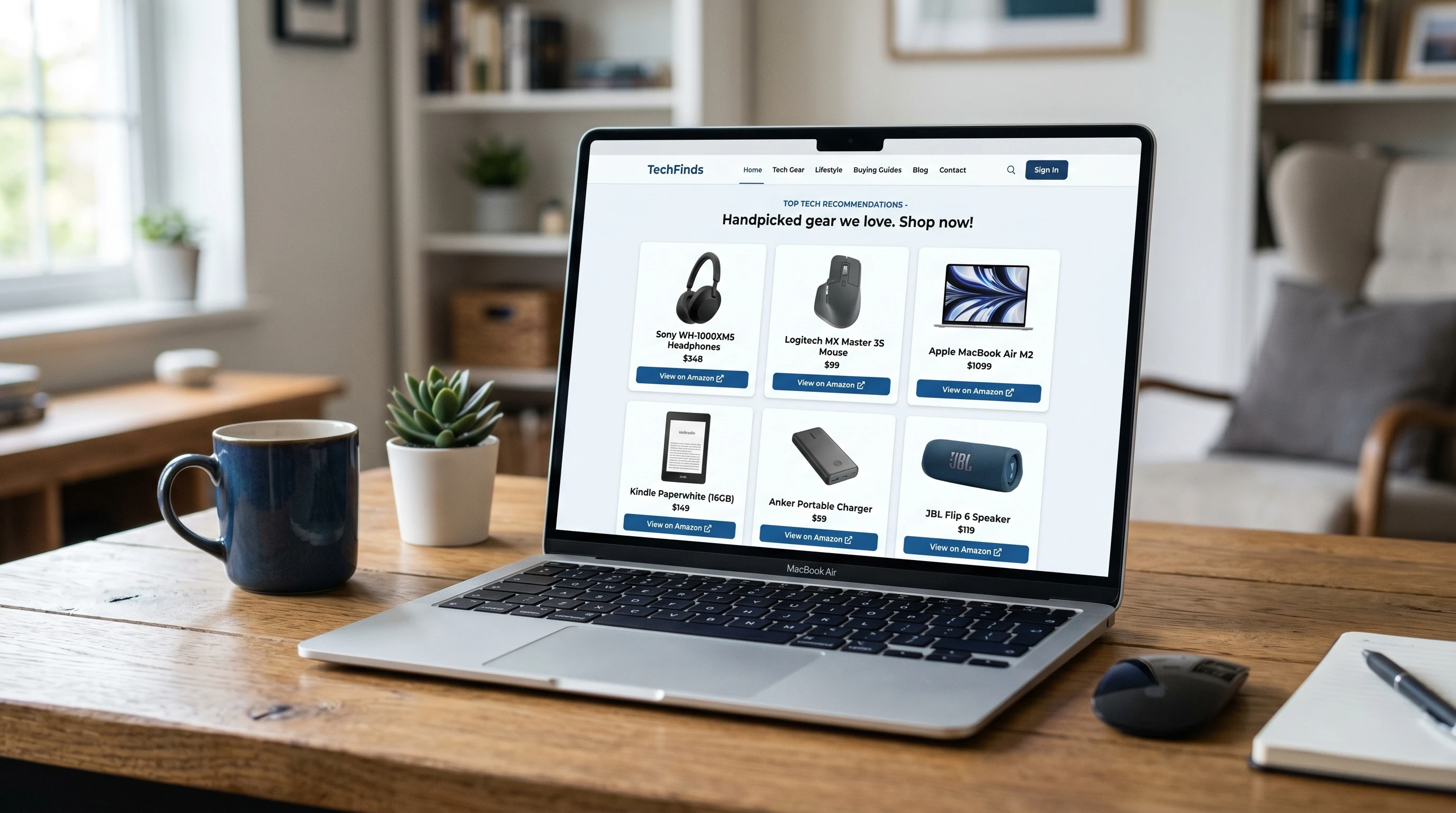
Building an affiliate website for the first time might feel like a big project, but anyone can get started with some patience and practical steps. When I put together my first affiliate site, I had lots of questions and sometimes felt overwhelmed by the tech and marketing parts. Over time, I realized the process mostly comes down to a series of simple choices and focused moves. You don’t need fancy skills or a big budget. Once you know what to do, you’ll make progress step by step and create a site you can be genuinely proud of.
An affiliate website lets me earn money by recommending products or services and earning a commission when people click my unique links and make a purchase. The setup is straightforward: create solid, honest content, attract visitors, and guide them to reviews or offers that include my affiliate links. The toughest part is often getting started, so I want to share what I’ve learned to help you move from an idea to a live, profitable affiliate website.
This beginner-friendly guide walks you through the steps: picking a focus, setting up your site and domain, creating helpful content, joining affiliate programs, and keeping track of your results. Each step is broken down with real-world tips, so even if you’re brand new to websites or affiliate marketing, you’ll have the confidence to take action and see things start to click.
Ready to Build Your First Affiliate Website?
Use the right training, tools, and structure so you do not waste months guessing.
Step 1: Pick a Profitable Niche
Before starting an affiliate website, I decide on what the site focuses on. That topic or product range is called my “niche.” My niche matters because it shapes my audience and earning potential. When I started, I quickly learned that working with something I genuinely enjoy keeps me motivated, but there should also be a clear income opportunity.
How I Narrow Down a Niche:
- Pick a topic I’m interested in and willing to dig into.
- Check that there are enough products I’d be happy to recommend.
- Look for existing affiliate programs offering decent commissions.
- See if enough people are searching for my topic online; tools like Google Trends can help with this too.
Examples of Popular Affiliate Niches:
- Fitness gear and home workout programs
- Outdoor gear or supplies for hiking enthusiasts
- Smart home gadgets and productivity tools
- Pet care tips and accessories for different breeds or species
- Budget travel gear or digital nomad tips
- Health supplements for specific lifestyles
I avoid niches that are way too broad (like “tech products”) or far too narrow (such as “USB Cables for 2016 laptops”); instead, I aim for a focus that has a loyal audience but also offers plenty of room to write, review, and share insights on affiliate offers.
Sometimes it helps to jump into forums, Facebook groups, or Reddit threads in my possible niche to see if people are really interested and what they like to buy. If I can find lots of conversations and questions, that’s a good sign there’s an audience.
Need Help Choosing a Profitable Niche?
A good niche gives your affiliate site direction, content ideas, and better earning potential.
Step 2: Pick a Domain Name and Hosting
After honing in on my niche, it’s time to choose a website name and secure hosting. My domain is the web address people use to find my site. Picking a catchy, simple name helps visitors remember it and can also give a boost to search engine rankings.
Tips for Choosing a Domain Name:
- Make it short, easy to spell, and clearly related to my niche
- Avoid numbers, confusion, or special characters
- Go for a .com if it’s available, but .net or .co also works
- Use a domain search tool to make sure my idea is available
Once the domain is picked out, I sign up with a reliable hosting provider. For my first site, I went with an affordable shared hosting plan with support for WordPress. WordPress remains the most popular option since it’s free, flexible, and friendly for beginners once you get used to it.
Hosting providers often try to upsell extras such as email, backup services, or security scans. At the beginning, I just stick to the basics to keep my costs low and decisions simple.
Secure Your Domain and Hosting
Your website needs a reliable home before you start publishing and promoting offers.
Step 3: Set Up WordPress and Basic Plugins
To build my site, I kick things off by installing WordPress. Most hosting services offer a “one-click install” that gets my site online in a couple of minutes. After WordPress runs, I pick a free or low-cost theme to shape my site’s look and feel. I prefer themes that load fast, look good on both computer and mobile screens, and stay easy to read.
Essential Plugins I Use:
- SEO plugin – Like Yoast or Rank Math, to help my site show up higher in Google results.
- Affiliate link manager – Pretty Links is a good one for organizing tracking affiliate URLs.
- Spam filter – Tools such as Akismet cut down on junk comments.
- Backup plugin – Just in case something goes wrong; some hosts offer free backups, but I like having one on WordPress too.
Less is more with plugins. Too many plugins can slow down my site, so I add only what I really need. Later, as the site grows and I learn more, I might add others for speed or special content types.
Equip Your WordPress Site Properly
SEO, link tracking, speed, and security tools help turn your blog into a real affiliate business.
Step 4: Structure Simple Pages for Trust
When someone lands on my shiny new site, they want to know who I am and whether they can trust my advice. To set my site up for trust, credibility, and clarity, I always create these important pages right away:
Pages I Always Include:
- Homepage – A quick intro to the site, what visitors will find, and maybe a link to my best content.
- About – A personal story sharing why I care about this niche, what motivates me to test products, and a glimpse of my learning adventure.
- Contact – A simple way for people to get in touch, usually a form or email address.
- Privacy Policy & Disclosures – Covering how I use affiliate links and how reader data is handled. This isn’t just about rules—it helps build trust and keeps things above board.
Even if I’m still new, sharing my honest journey and experience helps visitors feel like they’re learning with me—not just being sold random products.
Step 5: Join Affiliate Programs that Fit My Niche
Not all affiliate programs are created equal, and some work better for beginners than others. I only apply to programs that make sense for my niche with products I would use myself or recommend to friends. That keeps my content genuine and my readers interested.
Where I Find Affiliate Programs:
- Direct from brand or product websites (look for links at the bottom labeled “Affiliates” or “Partners”)
- Big affiliate networks, like Amazon Associates, ShareASale, and CJ Affiliate, that cover lots of niches
- Smaller, specialized networks in my area—like booking sites for travel or unique pet product suppliers
Before signing up, I read the program rules and see what the commissions, cookie duration, and payment methods are. If something looks too good to be true or asks for a big upfront payment, I move on to safer options.
Join Programs That Match Your Niche
Promote products your audience already needs, then replace this button with your best affiliate program link.
Step 6: Write Helpful and Honest Content
The heart of my affiliate website is valuable content that helps readers. I work hard to publish posts that answer real questions or solve common issues in my niche. Offering honest, researched advice—sometimes based on my own experience—builds trust. If I don’t have personal experience, I still double-check facts and gather insights from reliable resources.
Content Types that Deliver Results:
- Product reviews – Genuine evaluations based on what I’ve used or solid research
- How-to guides – Practical guides that fix a problem while mentioning relevant affiliate products
- Best-of lists – Roundups like “Top Camping Tents for Families” compare products and help readers choose
- Tutorials – Walkthroughs showing how to use a new tool or product to get a specific outcome
I believe in transparency, so I always add a quick disclosure at the top or near affiliate links in each article. This helps me connect with visitors who want real, not pushy, advice.
Don’t be afraid to update older articles as you learn more or as new products come out. Your readers will appreciate staying current, and search engines will notice the fresh updates too.
Turn Helpful Content Into Commissions
Product reviews, tutorials, and best-of guides are where affiliate clicks usually happen.
Step 7: Focus on SEO and Google Traffic
Getting readers to my site without spending money on ads means giving my site a boost for search engines. I do basic keyword research—finding out what people are typing into Google that’s related to my niche. Then, I use those phrases in my content naturally, especially in titles, subheadings, and the opening paragraph.
Simple SEO Steps That Work:
- Create post titles that match real search terms, like “How to Clean Reusable Water Bottles at Home”
- Use headings and bullet points to make reading easier.
- Add links within my own articles to help people find related info and keep them on my site longer.
- Check Google’s Keyword Planner or Ubersuggest for more ideas on what people are searching for and which words are less competitive.
SEO doesn’t pay off overnight, but as I keep publishing helpful, well-structured content, my site starts ranking for more searches, and visitors slowly ramp up.
Get More Free Traffic With SEO
SEO-focused articles can keep bringing readers to your affiliate offers long after you publish.
Step 8: Track Results and Improve
Once my website is live, I make a point to keep an eye on my analytics regularly to see what’s working and where I can make improvements. Google Analytics and the analytics dashboards from affiliate networks are free and easy to use, showing me which posts attract readers, which links get clicked, and what’s leading to sales.
Things I Monitor:
- Which content attracts the most visits and sales
- The keywords and phrases bringing in readers
- Where my traffic comes from—Google, social media, or links from other sites
- Which affiliate products get the most clicks or conversions
I use this info to create new content on related topics, update old articles, and make my offers and recommendations even sharper. I remind myself that steady progress wins out over big, risky changes.
Common Questions & Troubleshooting
How much does it cost to start an affiliate website?
The primary costs are registering a domain and paying for hosting, which usually costs around $50 to $100 for the first year. Most plugins and tools have free versions, so starting out can be easy on your wallet.
How many articles do I need before launching?
I recommend aiming for five to ten solid, informative articles covering various aspects of your niche. Over time, keep adding more posts based on popular searches, reader feedback, and your research into keywords.
Do I need to be a niche expert?
No. Documenting your learning adventure, honest experiences, and thorough research can be just as helpful. Focus on offering real value, and your audience will appreciate your honesty—even if you’re not a seasoned pro.
Take the Next Step Today
Replace this final button with your strongest offer, course, hosting link, or email signup page.
My Action Plan for Launching an Affiliate Website
- Choose a niche I genuinely care about and track down at least one affiliate program that matches.
- Register a memorable, easy-to-type domain and set up hosting with WordPress.
- Write five detailed, helpful articles plus my About, Contact, and Policy pages for transparency.
- Apply to affiliate programs and add my links, making my disclosures clear and up front.
- Keep publishing fresh content each week and watch analytics to track what’s working best.
Building my first affiliate website was a real eye-opener and a learning experience. Watching it grow and make my first sale was proof I was on the right path. Every new visitor, click, or commission is a small win to celebrate. If I could do it, anyone with some patience and willingness to learn can do it too. So, what topic or product interests you most for your first site? Take the first step, and you might surprise yourself with what’s possible.