 Creating an online course can seem overwhelming at first, especially if it’s your first time. I’ve gone through this process a few times now, and each step truly plays a big part in making your course helpful, engaging, and easy for learners to follow. Whether you’re sharing industry knowledge, teaching a creative skill, or training a remote team, having a clear plan helps everything flow smoothly from idea to launch.
Many people jump right into building slides or recording videos before deciding on what they want learners to achieve or thinking through the structure. Taking time to plan and do research pays off big time. You’ll feel more confident that your content meets real needs, and your learners won’t end up lost or confused.
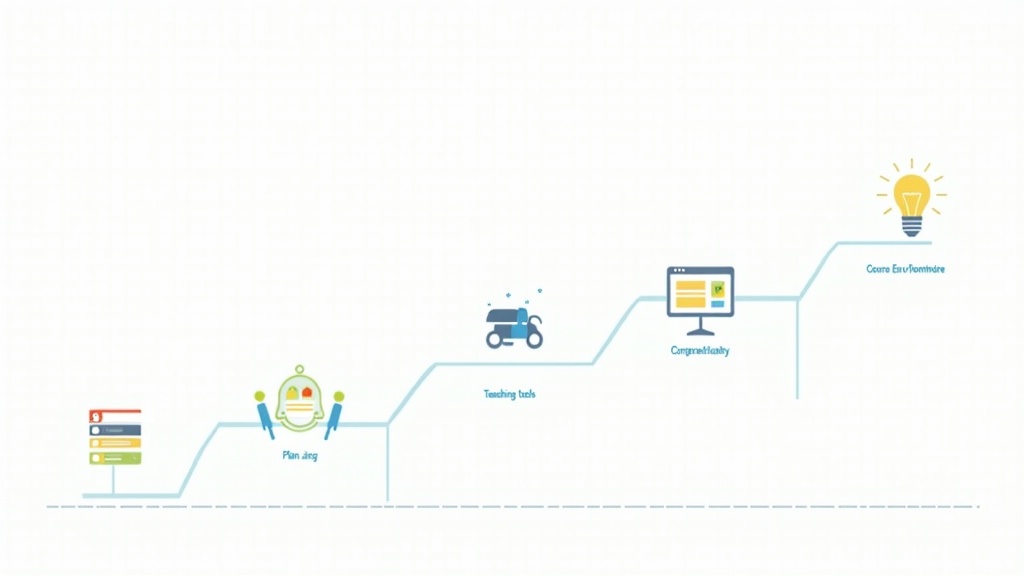
Here’s a practical, step-by-step guide for building an online course that’s effective, engaging, and ready to help your audience learn and grow.
Step 1: Clarify Your Course Goal and Audience
Before you start creating lessons or gathering resources, it’s super important to know exactly what your course aims to accomplish. Understanding who it’s for helps you make every decision with your learners in mind.
Key Questions to Help Define Your Vision:
- What specific skill, outcome, or transformation will learners get from this course?
- Who is your course designed for (age, experience level, interests)?
- What problem are you helping your audience solve?
- Are there any prerequisites or knowledge your students should have before starting?
Examples of Course Goals:
- Teach beginners how to create and edit digital photos using free tools
- Help business owners write simple, effective email marketing campaigns
- Train remote employees on compliance or safety topics
Having a clear goal makes it much easier to organize the rest of the course and show potential students its value.
Step 2: Research and Outline Your Content
Once I’m clear on the goal and audience, I spend extra time researching what’s most important to cover. This might mean seeing what’s already out there, chatting with potential learners, or running a quick survey to check what people want most. Sometimes, even just reading through discussion threads or online reviews can help you understand what your audience is looking for in a course.
Building Your Outline:
- List the main topics or skills the course should include
- Break each topic into smaller, easy-to-follow lessons or modules
- Arrange the order so concepts build logically, with each lesson setting up the next
Pro Tip:
I like to map my outline on paper—old school sticky notes on a wall work great, or use a digital tool if you prefer. This makes it easy to rearrange topics, spot gaps in content, and keep your structure clear.
Your finished outline acts like a roadmap, keeping you on track and making sure nothing important gets left out. You can make changes as you go, but a strong outline right from the start is a huge timesaver.
Step 3: Choose the Right Tools and Platforms
Choosing where and how to host your course is a pretty big decision. Think about what’s best for you and your audience. Some popular platforms like Teachable, Thinkific, or Kajabi are ready made for course creators, taking care of video hosting, payments, and student management. If you prefer more control, WordPress with a learning plugin can also be a good option. There are even open source platforms if you’re tech savvy and want maximum flexibility.
What to Look for in Online Course Tools:
- Easy uploading and organization of lessons
- Support for multiple content types (videos, PDFs, quizzes, audio, etc.)
- Userfriendly navigation for learners
- Ability to track progress or manage assignments
- Simple payment and enrollment setup if you plan to sell your course
If your budget is tight or you want to test your course on a small group first, Google Classroom or private groups on learning-friendly platforms like Slack or Discord work too. These might lack all the bells and whistles, but they make it easy to get started and collect feedback early.
Step 4: Create Engaging Course Content
With your outline set and a home for your course picked out, now you get to work on the lessons. Mix things up by presenting in a variety of formats to keep learners interested. I like to use short video lessons, written guides, infographics, checklists, and the occasional quiz or conversation starter. Even audio recordings or informal screencasts can be super engaging!
Tips for Making Awesome Content:
- Keep videos brief—five to ten minutes usually works best
- Write clearly and simply, steering clear of jargon unless your audience is used to it
- Include visuals, screenshots, or diagrams to walk learners through tough ideas
- Break complex topics into bite-size steps or mini lessons
- Share real-world examples and practical exercises as much as possible
Don’t stress about having everything look MTV-ready from the start. Focus on being helpful, offering clear explanations, and building out your lessons as you go. Feedback from early testers will show you what needs a tweak or more explanation.
Step 5: Plan Assessments and Interaction
Testing if learners are “getting it” isn’t just about giving quizzes or exams. Mixing in low-pressure knowledge checks or hands-on challenges gives learners quick wins and a sense of accomplishment. This keeps them involved and feeling good about their progress.
Some Practical Ways to Assess and Encourage Interaction:
- Short quizzes at the end of each module
- Downloadable workbooks or skill-building tasks
- Prompting learners to share reflections or projects in a discussion forum
- Running live Q&A sessions if your platform allows
Interactive features are really important; students are way more likely to finish a course and enjoy the experience if they’re involved, rather than just watching content. Even discussion boards or simple assignment uploads help learners feel connected and motivated.
Step 6: Launch Your Course & Gather Feedback
When your core material is ready, invite a few friends or members of your target audience to try it first. This small test run helps you spot confusing instructions, broken links, or other small hitches before going public with your course.
Ideas for a Successful Launch:
- Ask colleagues or people in your target audience to beta test
- Collect genuine feedback through a quick survey or over email
- Make changes and fix any issues right away based on that input
- Once you’re happy, put your course out there with a clear announcement—email, social media, and your website are all good options
Keep inviting feedback even after launch, and be ready to update or add clarification to your course content as your audience grows and changes. Continual improvement is key; some of the best courses evolve over time based on student suggestions and new developments in your subject area.
Common Questions & Troubleshooting
How do I know if my course idea is worth building?
I always suggest checking in with real people who fit your target audience. Join related forums, run a simple poll, or pay attention to popular questions about your topic. If you find ongoing demand or repeated requests for guidance, it’s probably a good bet to build your course!
I don’t have fancy video gear—what should I do?
You can absolutely use a smartphone or your computer’s webcam if you have access to natural light. Free tools like Loom or OBS Studio let you easily record your screen. Good audio and a quiet space matter more than an expensive camera for getting your message across.
What if students get stuck or stop participating?
Set up regular check-ins or reach out with encouraging emails. Including a “quick-win” lesson at the beginning can quickly boost motivation. Setting up a spot for your students to connect or swap tips pumps up course completion and makes learning feel more collaborative.
Next Steps for Course Creators
Following a step-by-step process turns course creation from a guessing game into a smooth, organized project. Each phase gives you a chance to make improvements and grow your confidence as a teacher. The real magic comes when you share your knowledge in a way that’s easy for your audience to pick up and use.
Quick Action Plan:
- Write out your course goal and the learners you most want to help
- Sketch a draft outline with your major topics and modules
- Pick a small lesson idea and try writing or recording it this week—share it with a friend for feedback
The sooner you start, the faster your online course idea will take shape. If you’ve built a course before, what step made the biggest difference for you? I’d love to hear your experience below!