
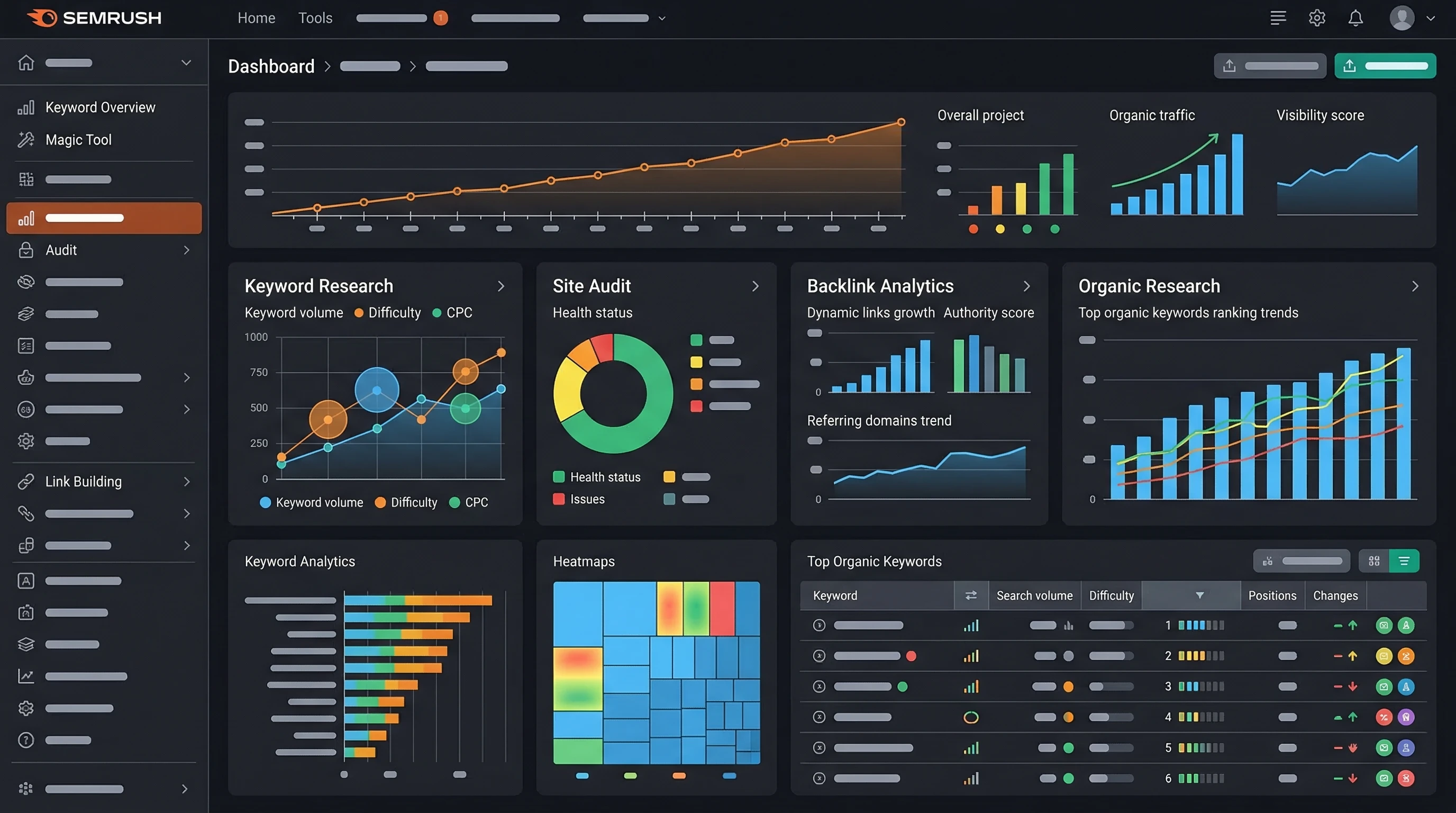
 Affiliate marketers have more tools at their disposal than ever before, but few offer as much as SEMrush. I’ve used SEMrush for years and it’s become my go-to resource for researching keywords, checking out competitors, and tracking what’s working in my campaigns. If you’re new to SEMrush or just looking to get more from it, this step-by-step guide is for you.
SEMrush can feel a bit overwhelming at first, mostly because there’s just so much it can do. Learning how to set up projects, dig into the right reports, and make sense of all those numbers can make life a lot easier—and your affiliate earnings healthier, too. Whether you’re promoting products on your blog, managing multiple sites, or just curious about your competition, SEMrush can save you hours and help grow your online income.
I’ll walk you through the basics, point out features I’ve found super useful, and share practical tips you can apply right away. Here’s how I use SEMrush to build smarter affiliate campaigns from scratch.
Step 1: Set Up Your SEMrush Account
Getting started with SEMrush is pretty painless. After signing up and confirming your email, you’ll land in your dashboard. I make it a habit to set up a separate ‘Project’ for each affiliate site or campaign. This keeps all your data organized and helps you track everything from keyword rankings to site audits all in one place.
How to Create a Project:
- Click the “Projects” tab in the main menu.
- Hit “Add New Project” and enter your site’s domain.
- Name it something you’ll remember, like “mybestgadgets Affiliate.”
- Run a quick Site Audit for a health check.
Projects are pretty handy for keeping everything in one spot; rankings, backlinks, errors, you name it.
Step 2: Research Profitable Keywords
Keyword research is where I spend most of my time in SEMrush. For affiliate marketers, keywords mean money, so picking the right ones is really important. The Keyword Magic Tool is my favorite spot to brainstorm ideas and spot hidden gems your competitors might have missed.
Tips for Finding Good Affiliate Keywords:
- Focus on buyer intent terms like “best,” “review,” or “vs.” (For example: “best wireless earbuds 2024”)
- Check out “Questions” to see what people need help with.
- Balance search volume and competition, don’t just chase the highest numbers.
- Use filters to weed out high difficulty keywords you probably won’t rank for right away.
I always look for keywords with a decent search volume but low or medium keyword difficulty. That’s where new affiliate marketers can get traction fastest. Another good thing to do is check what is trending and what kind of search questions people ask in your niche to uncover even more targeted keywords you might have missed the first time around.
Step 3: Spy on Your Competitors
One of SEMrush’s coolest features is seeing exactly what your top competitors are doing. The Domain Overview and Organic Research tools show which keywords bring them the most traffic, which landing pages get the clicks, and even which backlinks are sending them juice. This info is gold if you want to outrank or copy what’s working for them.
How to Use Competitor Insights:
- Plug a competitor’s URL into the ‘Domain Overview’ tool.
- Scroll through their Top Organic Keywords and Landing Pages.
- Check their backlink sources, maybe there’s a blog or directory you could reach out to.
The “Traffic Analytics” report lets me see how much total traffic they get, what’s popular, and where their audience is coming from. Super helpful when you’re setting goals or looking for new content ideas. It gives you a clear benchmark of what is possible if you model some of the best-performing strategies your competitors already use.
Step 4: Keep Track of Keyword Rankings
Tracking your keyword rankings is pretty satisfying (or sometimes humbling). SEMrush makes it simple with the Position Tracking tool. I add any keywords I’m targeting, either from my own research or competitor analysis, and let it update daily or weekly.
Benefits of Position Tracking:
- See which keywords are moving up or down over time.
- Spot big jumps or drops, so you can tweak content or links quickly.
- Set up local tracking if you’re targeting a specific country or city.
For each site, I like to set up alerts so I get a heads-up if anything switches up, especially on high value keywords. This type of data can show where you need to give a boost to pages or switch up your approach based on how the rankings trend over time.
Step 5: Audit and Optimize Your Website
If you’re sending traffic but not making sales, there could be site issues getting in the way. SEMrush audits can catch things like broken links, slow loading images, or missing meta tags. Every time I launch a new affiliate site, I run regular audits to keep things clean and Google friendly.
What to Look Out For in Audits:
- Page speed problems (slower sites can hurt your rankings)
- Missing or duplicate meta descriptions
- Broken internal or outbound links
- Mobile usability glitches
Fixing even small technical issues can often help you climb in the search results. If you’re not sure how to fix something, SEMrush gives step by step guides in most reports. Remember to go back and do periodical audits because old issues tend to pop up after site updates or plugin changes.
Step 6: Build & Monitor Backlinks
Good backlinks can make a big impact for affiliate sites, especially in competitive niches. SEMrush has a Backlink Audit tool and a Link Building Tool to help you spot where opportunities exist and quickly see if you’ve lost (or gained) any links over time.
Simple Backlink Building Strategies:
- Look for resource pages, directories, or review roundups in your niche.
- Reach out to blogs that have already linked to competitors.
- Check for broken links on other affiliate sites and suggest your page as a replacement.
Staying on top of your backlink profile also protects you from spammy links that can actually drag your rankings down. SEMrush will alert you to toxic links, so you can take steps to disavow them and keep your SEO healthy.
Step 7: Track Your Results and ROI
Even the best research won’t help if you’re not measuring what matters. I use the ‘My Reports’ feature in SEMrush to create custom reports for each project. I’ll check things like keyword movement, new backlinks, site health, and estimated traffic. For bigger projects, I even connect Google Analytics for detailed revenue tracking. Monitoring these numbers is the best way to know where your biggest wins are coming from and where you can still level up.
Metrics to Keep an Eye On:
- Organic traffic changes (going up is good, going down means something needs fixing)
- Position changes for your highest earning keywords
- Clicks and conversions for main affiliate links
- Site errors or new technical problems
I like to check my stats weekly. This helps me react quickly if something’s off or double down on things that are working. Consistent reviews also let you spot trends early, so you can adapt your overall strategy and stay one step ahead in the affiliate marketing game.
Common Questions & Troubleshooting
Is SEMrush good for beginners?
It can look complicated at first, but if you stick to the basics—keyword research, rank tracking, and site audits—you’ll start seeing results fast. SEMrush Academy has free tutorials worth checking out, and their help docs are clear for most features. Over time, you can expand into advanced tools as your skills grow.
What if my site isn’t showing up in keyword reports?
New sites can take a while to appear. Make sure your site is indexed by Google first, and start building content around low competition keywords. Traffic and data will show up as you grow, so patience and steady effort really pay off. Sometimes you just need to wait a few weeks before results kick in.
How much does SEMrush cost?
Plans start around $120 per month, but there’s a limited free version for testing things out. If you’re serious about affiliate marketing, it pays for itself pretty quickly in the time you save and the insights you get. For those wanting to try before buying, the free plan is a good way to get a feel for the dashboard and see if it fits your workflow.
Action Plan for Affiliate Marketers
- Create a dedicated project for your affiliate sites.
- Pick a handful of buyer intent keywords to target this month.
- Set up rank tracking, backlink monitoring, and regular site audits.
- Tweak your content and links based on real data, not guesses.
Have a question, or want to share your favorite SEMrush tricks? Drop a comment. I’m always happy to swap stories and tips with other affiliate folks! If you stick with these steps and continue using SEMrush’s suite of tools, you’ll see your campaigns improve faster than you might expect. The key is to keep learning, stay curious about what’s working, and make adjustments as new trends and data emerge over time. Happy affiliate marketing!