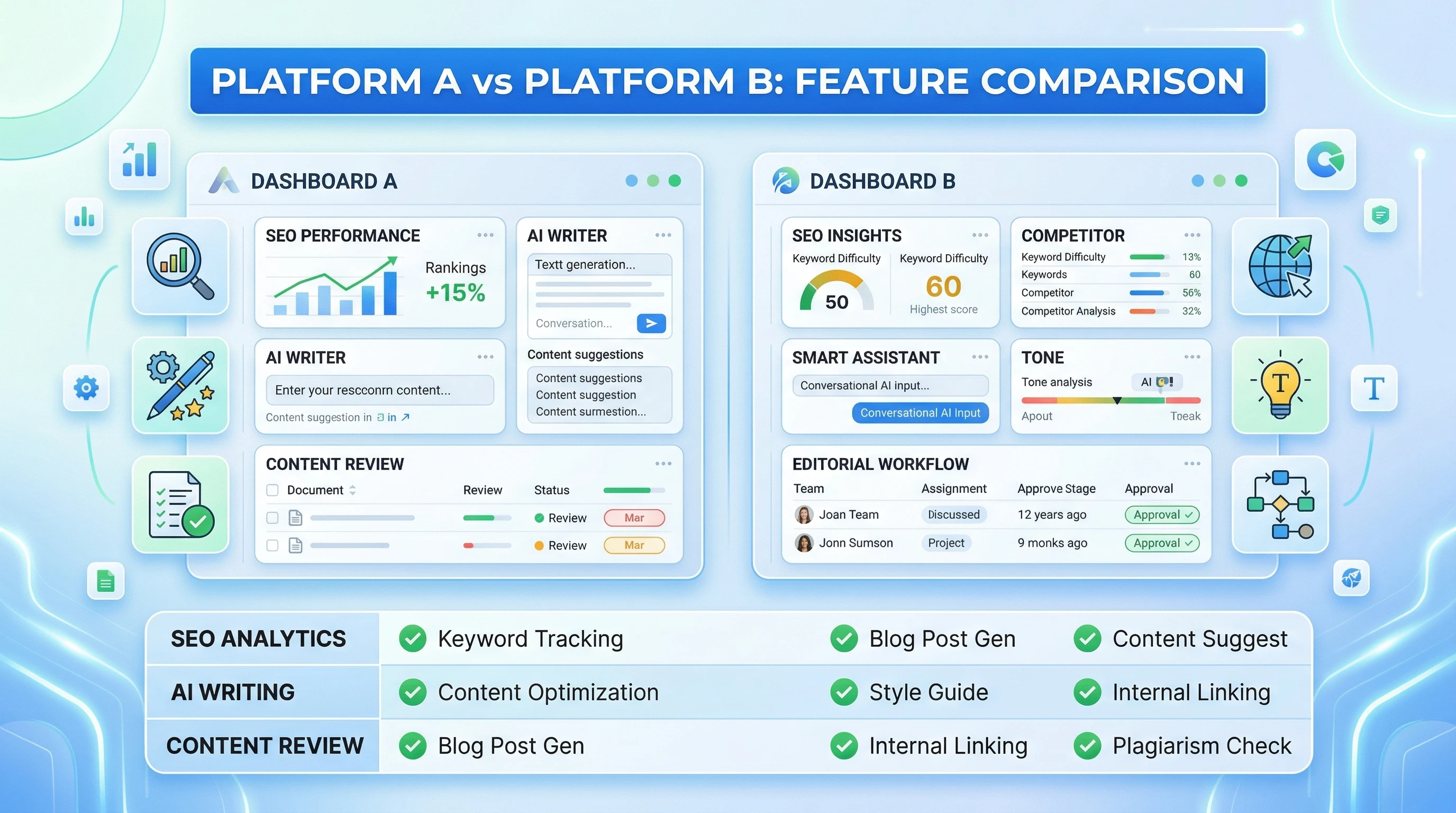
How To Set Up Flawless Affiliate Link Tracking With Google Analytics

Affiliate link tracking dashboard illustrationGetting a clear picture of how your affiliate links perform is super important if you want to maximize your online earnings. Google Analytics, when set up correctly, makes affiliate link tracking easier and gives you the power to spot which links bring in clicks, leads, and conversions. The setup process can feel intimidating if you’re just getting started, but it’s totally doable with a little patience.

If you’re tired of guessing which affiliate links are working and want solid data to make better decisions, affiliate link tracking is absolutely worth the time. You’ll quickly see which content drives the most clicks and which affiliate partners to focus your efforts on.

In this practical guide, I’m breaking down how you can set up affiliate link tracking with Google Analytics, step by step and without getting lost in technical jargon. Whether you use Amazon Associates, ShareASale, or another affiliate network, these same steps apply. Here’s how to get started so you can finally understand your affiliate performance.


Step 1: Set Up Google Analytics on Your Website

You need Google Analytics tracking installed on your website before you can track affiliate links. If you’re using WordPress, you can add your Analytics tag with a plugin like Site Kit or manually in your site’s header. On other platforms like Squarespace or Wix, just paste your Analytics tracking code into the appropriate settings.

  • Make sure you’re using Google Analytics 4 (GA4); it’s the latest version and gets all the new features.
  • After creating a GA4 property and adding the tag to your site, visit a page and check the real-time reports to make sure it’s working. If your visit shows up, you’re good to go!

Quick Troubleshooting:

  • If you don’t see data in Google Analytics, double check that your tag is published live on your site.
  • Clear your cache or try an incognito browser tab when testing.

Step 2: Choose Your Affiliate Link Structure

Affiliate links come in all shapes and sizes. Some are pretty, some are messy, and others get “cloaked” with a tool to make them easier to manage. Understanding your link structure makes tracking much less complicated.

  • If you use a cloaking plugin like Pretty Links or ThirstyAffiliates, your affiliate URLs might look like yourwebsite.com/go/product or yourwebsite.com/recommend/brand.
  • Uncloaked links might just point straight to the affiliate partner, including parameters or ID codes.

Take a minute and jot down the pattern your affiliate links follow. This helps in the next setup step.


Step 3: Set Up Click Tracking with Google Tag Manager

Google Tag Manager (GTM) is a free tool from Google that makes tracking website events way more flexible. You can set up tracking for any affiliate link, and there’s no coding required.

Here’s how I do it:

  1. Create a GTM account (at tagmanager.google.com) and add the GTM container code to your website (instructions are provided inside GTM).
  2. In GTM, create a Trigger:
    • Choose Trigger Type: Just Links
    • Set the trigger to fire on some link clicks (not all)
    • Define the rule, for example, Click URL contains /go/ (or another pattern you use for affiliate links)
  3. Create a Tag for Google Analytics 4 Event:
    • Tag Type: Google Analytics: GA4 Event
    • Pick your GA4 Configuration tag
    • Event Name: affiliate_click
    • Event Parameters: You can send things like {link_url}, {page_path}, etc.
  4. Connect this Event Tag to the Trigger you set up above
  5. Test the setup in GTM’s Preview mode. Click some affiliate links and check if the event fires.
  6. Publish your changes in GTM when you’re happy with the test results.

Pro Tip:

If you have a lot of different link structures, set up multiple triggers for each kind of affiliate link to keep your data organized.


Step 4: Check Affiliate Link Events in Google Analytics 4

Once GTM is sending affiliate click data to GA4, you’ll want to check that the events are rolling in.

  • In Google Analytics 4, look under Reports > Engagement > Events for your affiliate_click event.
  • Click into the event to see details; these might include the link URL clicked and page path.

It’s really handy to see which articles or pages drive the most clicks, so you can focus your content efforts there.


Step 5: Create Custom Reports to Track Link Performance

The real magic of tracking comes when you build out custom reports in GA4. Building these reports not only highlights your best affiliate opportunities but also lets you make smart decisions for your content strategy.

Custom Exploration:

  1. Open the Explore tab in GA4
  2. Start a Blank Exploration
  3. Add your affiliate_click event as a metric
  4. Add dimensions like Page path, Event parameter: link_url, or Source/Medium
  5. Sort and filter to see which links get the most love!

Bonus Analytics Insights:

  • Track affiliate link clicks by specific traffic sources, like organic, paid, or social
  • Compare how different affiliate programs perform against each other
  • Spot pages with high traffic but few clicks to see where you can optimize
  • Follow up on seasonal spikes and trends to further refine your affiliate strategy

Troubleshooting Common Issues

Affiliate Clicks Not Showing Up?

  • Double check your GTM triggers; make sure the link criteria match your affiliate URLs exactly.
  • If links open in a new tab, make sure GTM settings cover “All Link Clicks.”
  • Wait a bit; sometimes GA4 event reports appear with a slight delay.

Events Showing in GTM but Not GA4?

  • Make sure your GA4 tag is set up correctly and matched to the right property.
  • Double check event name spelling; it must match exactly in your reports.

Too Many or Too Few Clicks?

  • Check if your triggers are too broad or too specific. Adjust as needed so only affiliate links fire events.

Best Practices for Reliable Affiliate Link Tracking

  • Always document the pattern of affiliate links you’re tracking and update GTM if you add new affiliate networks.
  • Test all changes with GTM’s Preview before publishing.
  • Review your Google Analytics data regularly so you spot issues early.
  • If you add new plugins (link shorteners, etc.), recheck your triggers; they might need an update.
  • Consider keeping a spreadsheet log of your tracked links, GTM trigger rules, and any changes made; this helps you stay organized and makes troubleshooting much quicker.

Consistent tracking helps you know which content and strategies are paying off, making it much easier to grow your affiliate income.


Questions & Quick Tips

Can I track affiliate link clicks without GTM?

It’s possible by using custom JavaScript, but GTM is safer for most people. Plugins can sometimes help, but they may not send the click data to Google Analytics in a super detailed way.

How do I track outbound clicks for all external links?

In GTM, set a trigger for Click URL that “does not contain” your site domain. This picks up all outbound links, not just affiliates, so filter your reports accordingly for more accurate data.

Can I track affiliate conversions (sales)?

Usually, affiliate sales complete on your partner’s website, so you can’t track purchases inside your own Analytics. Check if the affiliate network provides postback pixels or supports conversion data; sometimes there are workarounds, so read your affiliate network documentation carefully and reach out to their support for info.


Getting the Most from Your Tracking Setup

Tracking affiliate link performance in Google Analytics helps you do more of what works and less of what doesn’t. By combining Tag Manager, custom events, and GA4’s reporting tools, you get a deeper look at your content’s earning power. Try running regular reports and see what trends jump out; maybe it’s certain topics, page types, or even places you drop your links on the page.

  1. Install GA4 and Tag Manager, and make sure tracking works.
  2. Set clear triggers for affiliate link clicks in GTM.
  3. Publish your changes and review your data in GA4’s Events and Explorations.
  4. Update your triggers as you add new affiliates or change link structures.
  5. Revisit your reports at least monthly to spot new trends and make small tweaks for continual improvement.

Once your system is up and running, all your future affiliate marketing decisions are backed by real data. Got questions or need more help? Drop them in the comments below!

Ahrefs Deep Dive: Is It Still The King Of Affiliate SEO Tools?

Ahrefs dashboard screenshotIf you’re serious about affiliate marketing or SEO, you’ve almost definitely heard of Ahrefs. You may have browsed endless reviews, compared prices, and tested every free alternative out there. I remember the first time I tried to grow an affiliate website and realized tracking keywords, checking out competitors, and finding backlink opportunities was a lot tougher than I expected. Everything I did seemed slow and scattered. That was before I started using Ahrefs, which changed my routine for the better.

With Ahrefs, I finally got the clarity and data I needed to make solid improvements. My affiliate sites started climbing up the rankings. I learned how to spot gaps in my content and stumble upon new keyword ideas I’d never thought about. The right data was a total game-changer, and tracking every result helped me see what actually worked.

Common Stumbling Blocks for Affiliate SEO

Pushing an affiliate site to success has a learning curve. Without the right tool, these issues get in the way:

  • It’s hard to keep up with what competitors are doing and which keywords they’re targeting.
  • Researching your backlink profile takes ages and often misses valuable links.
  • Tracking hundreds or even thousands of keywords across different pages gets overwhelming fast.
  • Spotting content gaps or topics to target can take hours of manual research and never feels complete.

Ahrefs is designed to make these problems a whole lot simpler by pulling keyword research, backlink analysis, site audits, and competitor research into one dashboard. Using it feels straightforward instead of stressful.

What is Ahrefs? A Look at the Platform

Ahrefs is an allinone SEO toolkit, used by affiliate marketers, bloggers, and SEO professionals to improve search rankings and grow organic traffic. Everything happens inside its web app. Here’s what you’ll get:

  • Site Explorer: Check out any domain or specific URL to see backlink profiles, organic keywords, and traffic stats.
  • Keywords Explorer: Track down keyword ideas, see search volumes, and check the ranking difficulty for your affiliate space.
  • Site Audit: Scan your site for technical SEO issues and get suggestions to boost performance in plain language.
  • Content Explorer: Stumble upon toptier articles across the web on almost any topic for inspiration and outreach opportunities.
  • Rank Tracker: Monitor rankings over time for all your main keywords in one spot.
  • Link Intersect: Spot websites linking to your competitors but not you. Perfect for building fresh outreach lists.

With Ahrefs, the whole SEO workflow is put together in a way that makes tracking, analyzing, and improving your site far more actionable. Even if you’re new, it won’t feel overwhelming.

How Ahrefs Changed My Approach to Affiliate SEO

Before Ahrefs, I was just guessing what worked for my site and competitors. Everything changed after signing up. Here’s a rundown of what actually improved:

  • Within the first week, I found dozens of low competition keywords with good search volume in my niche.
  • A few weeks later, I built a steady backlink strategy by reaching out to sites I found through the Link Intersect tool.
  • Two months in, my traffic started moving up instead of staying flat, since the content I published was now targeting real gaps in the market.
  • Six months later, I tracked my top pages more closely and saw myself climbing over smaller competitors on valuable keywords.

Ahrefs gave me a clearer path, cutting out the time I’d wasted on trial and error and letting me focus on proven SEO actions for affiliates.

Why Ahrefs Still Dominates for Affiliate SEO

Userfriendly Features for Affiliates

Some SEO tools seem built only for big agencies. I like that Ahrefs is easy for solo affiliates to use right from the start. The dashboard is simple, and every tool has clear instructions. Here’s why Ahrefs works so well for affiliates:

  • You can filter keyword suggestions by affiliate intent—like “best” or “review”—to find buyer keywords faster.
  • The backlink reports are always current, so I know if my outreach pays off or if competitors are closing in.
  • Seeing which pages drive traffic and links helps me stick with what works and tweak the rest, instead of wasting time elsewhere.

Allinone Toolkit

With Ahrefs, you don’t have to buy five tools for keyword tracking, site audits, and backlink checks. It all comes in one platform, saving tons of time. For people just starting out, it’s less confusing to use one tool instead of a handful that don’t work well together. This also keeps your costs more predictable and your workflow more organized.

Active Learning Community and Support

Ahrefs’ library of tutorials and guides helps users at any level get up to speed. The blog covers topics in a super detailed way, and the company updates resources frequently as the SEO world evolves. Whenever I’ve asked for help, responses came fast, and the community on forums or social media is always sharing new tactics and quick answers.

Real Results from Real Affiliate Marketers

“Using Ahrefs, I grew my Amazon affiliate site from 100 to over 5,000 visitors per month in under a year. Being able to spot new keyword opportunities every week kept my content fresh.” – Jamie L.

“The Link Intersect tool alone got me four big backlinks in one month, and that drove a noticeable jump in my rankings. Worth every penny for any affiliate marketer.” – Priya B.

“I used to rely on free or super cheap SEO tools but never saw real progress. Upgrading to Ahrefs let me see exactly where I stood and map out a plan to beat my competition.” – Alex F.

Try Ahrefs with a Low-Cost Trial

If you’re still on the fence, you can test Ahrefs for just $7 and use most features before getting a full subscription. This trial lets you:

  • Check your current site’s SEO health.
  • Do detailed keyword research for your affiliate niche.
  • See which sites link to your best competitors.
  • Test drive tracking your keyword rankings as they move up.

If you decide to continue, there’s a plan for every stage—whether you’re just starting or managing several growing affiliate projects.

Get My Affiliate SEO Starter Kit with Ahrefs

If you sign up through my link, I’ll send you my personal affiliate SEO starter kit. Here’s what’s inside:

  • Stepbystep guide to keyword research in any niche.
  • Easy template for competitor backlink outreach.
  • Prompt email support for your first month. Ask me anything if you get stuck!

This helps you get set up and moving in the right direction from the beginning, cutting out guesswork and wasted effort.

Ready to Boost Your Affiliate Site?

  • No complicated startup or steep learning curve.
  • Cancel anytime, and your site’s data is simple to export.
  • Tons of tutorials and fast support for all your questions.

Click below to try out Ahrefs now and start improving your affiliate SEO right away.

[ Try Ahrefs ]

Starting up is quick. Better search rankings and faster affiliate growth are closer than you might think.

Descript Deep Dive: Revolutionizing Audio & Video Editing With AI

Descript Audio Video Editing InterfaceIf you’ve ever tried editing audio or video and felt like you’re drowning in a sea of tracks, cuts, and complicated timelines, you’re not the only one. When I first tried making a podcast, I spent hours just removing awkward pauses and “ums.” Let’s just say, manual editing can be a pretty daunting process, especially if you’re not a trained audio engineer or video pro.

My workflow changed for the better once I stumbled upon Descript. This tool takes a lot of the pain out of editing, whether you’re working on podcasts, YouTube videos, interviews, or anything else with audio or video. I’ve gone from dreading the edit button to actually getting excited to finish projects faster and cleaner than I thought possible.

Why Most People Get Stuck With Traditional Editing Software (and How Descript Fixes It)

It’s really common to lose hours with oldschool editing tools. Most folks hit a wall because:

  • They struggle with learning complicated interfaces just to make basic edits
  • Cutting filler words or mistakes is slow and hard to get perfect
  • Manual transcriptions drain time and energy
  • Collaboration is clunky, swapping big files and tracking changes is tedious

Descript turns these issues upside down by letting you edit audio and video like you’re working with a text doc. You can remove a word, and it vanishes from the media. It feels a lot more natural, especially for anyone who writes or edits documents regularly.

What is Descript?

Descript is an AI powered platform for editing audio and video. Unlike most editors that focus on tracks and waveforms, Descript works by automatically transcribing your files. Once transcribed, you can literally delete, move, or change media by just editing the text transcript.

Here’s a quick breakdown of what Descript brings to the table:

  • Text-Based Editing: Quickly remove mistakes, repeat words, or even swap sentences by changing the transcript.
  • Automatic Transcription: Drop in your file and get a transcript within minutes, ready for editing or subtitles.
  • AI Voice & Overdub: If you flub a line or want to add a sentence, Descript can clone your voice (with permission) or use synthetic voices for quick pickups.
  • Screen Recorder: Record your screen or webcam directly and edit the result just like any other project.
  • Collaboration Tools: Share projects with others, leave comments, and track edits without messy back and forths.
  • Multitrack Support: Manage multiple speakers or video tracks in the same, easy to navigate interface.

Another handy part is its automatic subtitle generator. This means you can create captions for your videos without any extra software, saving both time and money when publishing content to platforms like YouTube or Instagram. There’s also a library of stock music and sound effects that you can add with just a click, letting you finish your project with pro touches even if you aren’t a sound designer.

How Descript Streamlines My Workflow

When I first tested Descript, I had a quick interview to edit. Traditionally, I’d spend at least two hours trimming filler words and tightening answers. With Descript, I highlighted and deleted all those “ums” and false starts right in the transcript view. What would have been an afternoon’s work took under half an hour.

  • I imported the recording and got a full transcription in less than five minutes.
  • Using the transcript, I found spots that needed cleaning and just edited the text, no fiddly mouse drags needed.
  • The finished episode sounded smooth. I even used Descript’s features to add a quick intro without rerecording.
  • Collaboration was just as easy. I sent the project link to my cohost, and we both made changes right in the browser.
  • The final export offered both video and audio in the formats I needed for publishing.

Since then, I’ve also used Descript to repurpose content, like turning longer webinars into clipped highlights for social media. It’s helped me create teaser videos, export clean audiograms, and even turn interviews into blog posts with automatic transcription. The time saved (and the headache avoided) has made Descript my goto for projects big and small.

How Descript’s AI Gives You the Edge

Simple Editing With Smart AI Tools

Most editing platforms expect you to be both an engineer and a storyteller. Descript makes it approachable by letting you work through an interface that feels like a word processor. Editing, rearranging clips, and even rewriting spoken words becomes easier than ever.

With AI features like automatic filler word removal and studio sound upgrades, my projects get that polished feel, no fancy mixing skills needed. This comes in handy for folks who want professional results without a steep learning curve.

Allinone Media Toolkit

I like having everything in one place. Descript includes a screen recorder, audio cleanup, overdub features, and even basic video tools, so I’m not bouncing between apps. Whether I’m making a tutorial, podcast, or video ad, I get what I need inside one simple dashboard.

Collaboration Without the Headache

Sending huge files, keeping track of feedback, and merging edits can slow everything down. With Descript, I just share a link, and teammates can jump in to suggest changes, leave notes, or even handle their own edits. The cloud-based project management has saved me from so much confusion.

Real Success Stories and Feedback

“Descript made it possible for my small team to launch a podcast in weeks instead of months. We love the transcript editor!” – Aimee F.

“I’m no techie, but Descript helped me edit my online course videos without hiring a pro. The Overdub feature saved the day more than once.” – Leo V.

“Sharing video projects with clients and getting realtime feedback sped up my freelance workflow and kept everyone happy.” – Priya J.

Try Descript for Free, No Payment Needed

If you’re curious, Descript offers a free tier that’s perfect for testing things out. You get:

  • Automatic transcription of a set number of hours every month
  • Full access to editing, screen recording, and basic export features
  • Collaboration tools so you can work with teammates or clients

You’ll only need to upgrade if you want longer projects, more AI tools, or unlimited transcription. The best part is that you can try it without entering your credit card details.

Get Extra Help Through My Referral

Signing up with my link means you’ll have someone to help when you hit a snag or want personalized workflow tips.

  • I’ll show you the ropes for your first project, from transcription to exporting
  • I’ll share case studies and handy tricks that’ve saved me hours
  • You can reach out with questions, and I’ll respond based on my realworld experience (not just canned responses)

This is an easy way to get comfortable quickly and skip the usual learning curve.

Is Descript Right For You?

  • No editing degree required, anyone who can edit a Google Doc can use Descript
  • No annoying contracts or hidden fees
  • Ready to get your projects finished faster, with way less stress

Try Descript for yourself and see how easy editing can be.

[ Sign Up for Descript Here ]

Your creative projects deserve an easier, smarter workflow. Now’s the time to make it happen.

Mastering AI Prompts: A Beginner’s Guide To Getting Perfect Outputs

concept art of someone interacting with AI interface using promptsThe way you write prompts for AI can totally change the quality of what you get back. I’ve noticed that nailing the right prompt isn’t about being a tech wizard; it’s more about knowing how to talk to AI so you get what you need. This guide breaks down how to master AI prompts, especially if you’re just starting out and hoping for clearer, more helpful results.

Maybe you’ve typed something into ChatGPT or DALL·E and felt frustrated when the answer wasn’t even close to what you imagined. You’re not alone! Even the best AI needs clear direction to be useful. With a little practice, you can tweak your prompts so the results are specific, on point, and way more useful than generic answers.

If you’re wondering where to start, I’ll show you the building blocks of writing better AI prompts. You’ll find out why details matter, how to avoid common pitfalls, and what tricks help you get those perfect outputs every time. For beginners, improving your prompting skills is one of the best ways to get high quality results consistently.


Step 1: Figure Out What You Want from the AI

Before you even type your first prompt, think about what you’re really after. AI can do a lot, but it can’t guess your mind. A little planning goes a long way. It’s important to start with a sense of your end goal so that your prompts are focused and effective.

Ask Yourself:

  • What problem am I trying to solve?
  • Am I looking for a quick answer, a deep explanation, or something creative?
  • Do I have a specific format in mind (short bullet points, a story, a step by step guide)?
  • Are there keywords, names, or examples it should include?

Example AI Prompt Goals:

  • Summarize a long article in plain English.
  • Generate creative ideas for a birthday party.
  • Explain a tricky math concept like I’m five.
  • Give me a checklist for launching a website.

Getting clear on your goal helps you phrase your prompt directly, so you spend less time editing or re-asking. It’s also helpful to picture what your ideal result should look like. Try sketching it out or writing a quick note about your expectations.


Step 2: Keep Prompts Specific and Direct

Long, complicated, or vague prompts can confuse the AI. I’ve found it works best when you’re super clear and to the point, kind of like giving a friend quick directions or describing exactly what you need. Direct prompts get faster, more accurate responses.

How to Make Your Prompts Specific:

  • Be descriptive: Say exactly what you want (e.g., “Write a three sentence summary of this news story”).
  • Set boundaries: Tell it what to skip or leave out (“Explain this code without using technical jargon”).
  • Use examples: If you want a certain style, add a sample or reference (“Write in the style of a friendly blog post”).

Sample Prompts:

  • Instead of: “Tell me about dogs.”
  • Try: “List five dog breeds that are great with kids and brief reasons why.”

Short but focused prompts almost always get more relevant responses. Don’t be afraid to rewrite your prompt if you’re not getting the answer you want. Sometimes just swapping a word or clarifying the task will make a world of difference.


Step 3: Use Clear Context

AI does better when it knows exactly what’s going on. Adding a bit of context can transform what you get back, especially for things like math, writing, or coding help. The more background you provide, the easier it is for AI to generate results that match what you want.

Adding Helpful Context:

  • Tell the AI who it’s helping: (“Pretend you’re a chef explaining pasta to beginners.”)
  • Mention the audience: (“Explain email marketing basics for small business owners.”)
  • State any rules: (“Answer using only yes or no.”)

One quick personal example: when I needed ideas for a science project for a 10-year-old, I didn’t just ask for projects; I said, “Share three fun science projects for a 10-year-old using items found at home.” The results were way more useful than just “science projects.” By providing the extra details, the AI gave me project ideas that were realistic and appropriate.


Step 4: Tweak and Test Your Prompts as You Go

I rarely get it perfect on my first try. Sometimes, the AI misunderstands or takes an odd approach. Instead of giving up, it helps to treat this like texting back and forth with a friend. Clarify, re-ask, and add a few details if needed—don’t worry if the first answer isn’t spot on.

Tips for Iterating Better Prompts:

  • Read what the AI gave you, then spot what’s missing or off.
  • Try rephrasing your prompt or splitting a big request into smaller steps.
  • Ask follow up questions (“Can you make this shorter?” or “Give me more examples?”)

This back and forth process only takes a few seconds, but it really dials in exactly what you want. Don’t stress if you have to experiment, as even pros go through several tries to get the best response.


Step 5: Avoid Common Beginner Mistakes

It’s easy to slip into habits that lead to vague or messy results. I’ve run into most of these issues, and I often see others do the same. Here are some traps you can dodge with just a bit of awareness.

Watch Out For:

  • Too much at once: Long prompts with multiple questions make it hard for AI to focus. Keep one task per prompt where possible.
  • Forgetting to check over results: AI can make mistakes. Always double-check for accuracy or anything that feels off. Especially when working on important tasks, take a moment to review.
  • Ignoring context: If the AI doesn’t know details about your task, give it more info so it doesn’t fill in the blanks with guesses.

Correction Example:

  • Unclear: “Help me write something for my boss about last week.”
  • Revised: “Write a short email update to my boss, recapping project progress from last week.”

Small fixes like these can totally change your AI experience. Paying attention to clarity will always pay off!


Step 6: Explore Advanced Prompting Techniques

Once you feel good with basic prompts, there are a few next level tricks I find really useful for more complex needs. Practicing these skills opens up even more creative ways to use AI, whether it’s for work, learning, or fun projects.

Some Cool Techniques:

  • Role Instruction: Ask the AI to act like a teacher, interviewer, or expert (“Act as my personal productivity coach”).
  • Chaining: Break a big task into smaller prompts (“First, outline the main points. Then, expand each one.”)
  • Constraints: Give specific rules (“List ten names, each under eight letters”).

Getting the hang of these methods puts you way ahead of the curve, even if you’re just starting out. It can take a little extra time, but the payoff is more creative, usable results every time you use AI.


FAQ & Common Troubleshooting for AI Prompts

Why are my AI answers so generic?

Generic prompts get generic responses. Try adding more context, examples, or specify what makes an answer good for your needs. Don’t hesitate to update your prompt if the first answer feels bland or broad.

How do I get the AI to write in a certain style?

  • Mention the style explicitly (“Write a formal business letter” or “Make it sound conversational”).
  • Link to or paste in a sample if you have one so the AI can match the tone.

What if the AI keeps misunderstanding?

  • Simplify your prompt, focusing on one thing at a time.
  • Rephrase with different words; sometimes just swapping out a phrase helps fix misunderstandings.
  • Double-check you’re being as clear and direct as possible so there’s little room for confusion.

Can I get AI to ask clarifying questions?

Absolutely. Try prompts like, “If you need more info, ask me questions first.” That way, you create a little feedback loop for even better results. By adding this step, you make sure the AI and you are on the same page before a full answer is given.


Getting Better Outputs: Your Action Steps

Writing great AI prompts is just a mix of clarity, practice, and a willingness to test and tweak what you type. Here are three simple moves to take your results up a notch:

  1. Start with one clear, direct goal for your prompt.
  2. Add context or examples to help the AI understand exactly what you want.
  3. Tweak and test your prompts, and don’t be afraid to ask for revisions or clarifications if needed.

The more you play around, the better your results get. So, what kind of prompt are you planning to try next? Whether you’re asking for simple facts or working on something creative, a little extra thought goes a long way in getting the most from AI tools.

Surfer SEO Vs. Frase.io: The Ultimate Content Optimization Showdown

Surfer SEO vs Frase.io comparison chart

When I work on improving website content for search engines, two tools I often turn to are Surfer SEO and Frase.io. These content optimization platforms claim to help writers, bloggers, and marketers boost their search rankings, but each one takes a slightly different approach to doing the job. Surfer SEO is popular for its data-driven, on-page optimization recommendations. It looks at the top-performing pages for a keyword, then gives you clear tips about word count, keywords to use, and structure. Frase.io is known for blending AI content research, outline creation, and optimization, which makes writing and optimizing content faster and smarter.

If you’re trying to choose between these two tools to upgrade your content creation process, this guide will break down the main differences between Surfer SEO and Frase.io, including their features, user experience, pricing, strengths, and limitations. By the end, you’ll have a solid picture of what to expect from each.

Introducing the Competitors

What is Surfer SEO?

Surfer SEO is a content optimization platform that offers site audits, keyword research, and detailed recommendations for on-page SEO. I use it to analyze what the top-ranking pages are doing right and get exact instructions on how to craft my content to compete. The software relies on real-time data from Google’s search results, which helps keep my pages in line with what works now instead of last year. Surfer SEO continues to grow fast in popularity specifically due to its practical tips and data transparency, making it a favorite among many SEO professionals.

Who Should Use Surfer SEO?

  • Writers who want step-by-step SEO guidance
  • Freelancers, agencies, and website managers who care about technical SEO details
  • Users who like working with clear, data-backed recommendations

Surfer SEO Pros and Cons

Pros:

  • Guided, data-driven content editor that gives practical, easy to follow suggestions
  • Site and keyword audits are clear and detailed
  • Integration with Google Docs and WordPress streamlines publishing

Cons:

  • Interface can feel busy for new users
  • Learning curve for beginners
  • Requires separate tools for deep research or AI writing

What is Frase.io?

Frase.io is a content writing and optimization tool that uses AI to research, outline, write, and check your articles for SEO value. I find that Frase speeds up the research stage by pulling in top-ranking content summaries, statistics, and questions from search engines. It also helps shape outlines and drafts using AI, which can be a real time saver. Frase makes content scoring easy by showing how your work compares with competitors, and its AI writer can level up the process by quickly generating new text.

Who Should Use Frase.io?

  • Writers and marketers who want to go from research to content quickly
  • Bloggers who want builtin AI writing assistance
  • Anyone who needs guidance on outlining, topic coverage, and keyword use

Frase Pros and Cons

Pros:

  • Speedy AI content research and outline tools save time during planning
  • Builtin content scoring and optimization keep your writing on track
  • AI writing tools integrated into the workflow for drafting paragraphs or articles

Cons:

  • Content suggestions can be broad and need strong human editing
  • Optimization depth varies by topic
  • SEO recommendations less specific than Surfer’s

Comparing Core Features

  1. Content Research and Outlining
    Why This Is Important: Writers often spend hours figuring out what to write. Efficient research helps keep up with deadlines and creates well-structured articles.
    Surfer SEO: Pulls data from the search results to suggest length, headings, and common keywords. I’ve noticed its suggestions focus on optimization after you’ve begun writing.
    Frase.io: Collects SERP analysis, questions, and summaries, then builds an outline automatically. I can generate drafts and get content briefs much faster this way.
    My Pick: Frase.io for fast research and outlining, especially useful for planning a draft quickly.
  2. Content Scoring and Optimization
    Why This Is Important: Knowing where my article stacks up compared to top competitors gives me clear direction on what to improve.
    Surfer SEO: Uses a scoring system based on data-driven factors like word count, keyword usage, and structure. Its feedback is solid for perfecting technical details.
    Frase.io: Scores content based on topic coverage and keyword inclusion. Scores are easy to read—though sometimes less precise than Surfer.
    My Pick: Surfer SEO for detailed, actionable scores and optimization tips.
  3. AI Writing Tools
    Why This Is Important: Writing highquality drafts faster saves me time on every project.
    Surfer SEO: Focuses mainly on optimization features, not writing. While there is some AI writing with their Grow Flow, I find it limited for full-length articles.
    Frase.io: Includes a featured AI writer. I can draft intros, paragraphs, and entire articles using prompts—always needs a human touch, but it can jumpstart the process.
    My Pick: Frase.io for built-in AI writing combined with research capabilities.
  4. Integrations and Workflow
    Why This Is Important: Moving content between platforms smoothly boosts my productivity.
    Surfer SEO: Integrates with Google Docs, WordPress, Jasper, and more. This is helpful for collaborating and publishing directly.
    Frase.io: Connects with Google Search Console and WordPress. AI and research tools are embedded right in the editor.
    My Pick: Surfer SEO for seamless integration with my favorite publishing tools.
  5. Pricing and Value
    Why This Is Important: Affordability affects how much you can use a tool, especially for freelancers and small teams.
    Surfer SEO starts at $89 per month for the Essentials plan. Frase.io starts at $14.99 per month for the Solo plan, with some limits on document credits.
    Surfer SEO: Higher monthly cost, but offers more indepth optimization per article.
    Frase.io: Lower starter price, which is handy for writers who only need a few briefs or articles per month.
    My Pick: Frase.io for budget-conscious users, Surfer SEO for those who rely on strict optimization control.

User Experience and Community Feedback

  • Surfer SEO: Gets high marks from SEO professionals for reliable data and clear optimization scores. Some new users mention it takes a while to get used to the variety of features.
  • Frase.io: Wins praise from users who want to research and draft content quickly. AI-generated content does need strong editing, though this keeps quality high. Community feedback highlights its fast speed and userfriendly layout.

Overall Reputation: Both tools are respected in the SEO world. Surfer is frequently recommended by technical SEO experts, while Frase.io is popular with bloggers and writers who want allinone content drafting and optimization support.


Choosing the Best Tool for You

Both Surfer SEO and Frase.io offer powerful ways to step up your content’s search rankings. The right pick really depends on your content workflow and top priorities.

Choose Surfer SEO if you:

  • Want the most precise, data-driven editing suggestions
  • Spend a lot of time tweaking content for technical SEO
  • Like integrating with Google Docs or taking advantage of their full site audit features

Choose Frase.io if you:

  • Write articles from scratch and need research, outlining, and drafting in one place
  • Want builtin AI writing support
  • Care more about speed and topic coverage than super detailed optimization

From my own experience, Surfer SEO helps me polish articles for top rankings, while Frase.io makes it easy to research and build first drafts fast. Both tools have free trials, so trying each out is a good way to track down your perfect fit. If you want to know more or have thoughts about either tool, feel free to ask or share your feedback below.

Wealthy Affiliate Vs. Legendary Marketer: AI Integration Showdown

Wealthy Affiliate vs Legendary Marketer - AI Comparison

If you’re looking to break into the world of affiliate marketing in 2026, there’s a good chance you’ve come across both Wealthy Affiliate and Legendary Marketer. Both are pretty popular platforms aimed at teaching people how to generate income online, but with the rapid rise of AI tools, the game is changing fast. There’s a lot of buzz around which platform is staying ahead with smart automation, AI-powered training, and practical marketing tech.

I’ve spent real time inside both Wealthy Affiliate and Legendary Marketer, trying out their AI features, taking their courses, and seeing how easy it can be to actually build something from scratch. If you want a clear breakdown on how these platforms stack up in terms of AI integration, overall value, pricing, and who really benefits from each, you’ll find everything right here. This guide is meant to help you track down which platform lines up best with your style and ambitions.

Learn More About Wealthy Affiliate

Quick Intro to Wealthy Affiliate & Legendary Marketer

Wealthy Affiliate: What’s the Deal?

Wealthy Affiliate is a longstanding training platform focused on teaching people how to build successful affiliate marketing websites. Their approach centers on hands-on website building, steady SEO training, and a bunch of community support. Over the last year or so, they’ve put out new AI features to make things like content creation and research a bit smoother. For those who want step-by-step guidance, Wealthy Affiliate can really give your online business a boost. Their lessons are updated regularly to keep up with digital trends, including AI advancements. What makes it eye-catching is the support network and the variety of courses that fit both newbies and more advanced users.

Legendary Marketer: An Overview

Legendary Marketer takes a slightly different path. It leans into high ticket affiliate marketing, sales funnels, and digital products. While Wealthy Affiliate is more focused on blogging and SEO, Legendary Marketer teaches email marketing, social media ads, and how to sell big ticket programs. Their recent push has been to work AI into sales scripts, training, and productivity tools, making things more automated for those wanting quicker wins. They put a strong emphasis on direct mentorship and real world case studies, giving users an idea of what fast-track affiliate marketing looks like when paired with next-level cool automation tools.

Who Should Check Out Each Platform?

Who Gets the Most From Wealthy Affiliate?

  • Beginners who want hands-on coaching in website building and SEO
  • People more comfortable learning through step-by-step tasks and tutorials
  • Those looking for a down to earth, supportive online community
  • Bloggers who want to dig into evergreen content strategies and keep growing over the long run

Who Will Like Legendary Marketer?

  • Aspiring marketers interested in higher earning affiliate strategies
  • Folks who prefer video heavy lessons and direct mentorship
  • Entrepreneurs wanting a fast track through ready made sales funnels
  • People who crave speedy results and don’t mind mixing in some paid ads for faster wins

Pros & Cons: Wealthy Affiliate vs. Legendary Marketer (AI Edition)

Wealthy Affiliate: Upsides & Downsides

Pros:

  • AI powered writing assistant and keyword research tools built in
  • Plenty of up to date classes, especially on content trends with AI
  • Free Starter membership to try things out (with limited AI features)
  • All-in-one platform for website hosting, research tools, and learning community

Cons:

  • AI content creation is limited unless you upgrade to a paid plan
  • Interface can feel old school compared to some new apps
  • AI integrations aren’t as deep as pure tech platforms
  • Advanced marketers may want even more automation for scaling up

Legendary Marketer: Upsides & Downsides

Pros:

  • Built in AI tools for sales scripts and marketing copy
  • Quick AI templates for landing pages and email automation
  • High ticket program training with an AI productivity edge
  • Strong focus on mentorship and fast income strategies

Cons:

  • Higher price tag for full AI powered features and coaching
  • Focus on selling high ticket products isn’t for everyone
  • Some tools feel basic, so you might want third party AI extras
  • Aggressive upsells may turn off people looking for a more chill learning space

Side by Side: Key AI Features Compared

  1. AI Content Creation & Writing Help
    Why it matters: Writing smooth blog posts, reviews, or email series is time consuming. AI can speed it up and help you avoid creative block.
    Wealthy Affiliate: Includes an AI powered writing assistant that drafts blog posts, outlines, and niche content for websites. Pretty handy for anyone starting out or pushing out bulk content.
    Legendary Marketer: AI tools here are focused on sales copy, ad scripts, and even video script ideas. The automation feels targeted toward selling rather than general blogging.
    Which stands out: Wealthy Affiliate is great for content heavy creators; Legendary Marketer is stronger for sales driven folks.
  2. AI Powered Research Tools
    Why it matters: Finding the right keywords, trending topics, and competitor insights is a must for growth.
    Wealthy Affiliate: Built in Jaaxy keyword tool with AI enhancements for faster keyword analysis and suggested topics.
    Legendary Marketer: Offers some AI driven headline and subject line analyzers, but fewer dedicated research tools.
    Which stands out: Wealthy Affiliate for blogs, niche research, and SEO; Legendary Marketer for sales headlines and hooks.
  3. Training & Community AI Features
    Why it matters: Fast answers, smart recommendations, and automation can shortcut the learning curve.
    Wealthy Affiliate: Community Q&A and forum threads have AI suggestions to surface helpful posts and training. On some plans, AI tutors recommend the next best lessons.
    Legendary Marketer: AI chat and productivity bots built into their member dashboard, with tailored reminders and scripts for tasks.
    Which stands out: Both are helpful for different styles. WA for beginners needing structure, LM for quick, practical prompts.
  4. Ease of Use & Workflow Automation
    Why it matters: The right automation saves loads of time.
    Wealthy Affiliate: Has automated site setup and regular AI generated training updates. Some AI tools require extra upgrades.
    Legendary Marketer: AI powered sales funnel templates, copy generators, and checklist bots to speed up entire campaigns.
    Which stands out: Legendary Marketer if you want ready for you sales funnels; Wealthy Affiliate if you want to build up an SEO driven website at your own pace.
  5. Pricing for AI Features
    Why it matters: For a lot of people starting out, prices can make or break the decision.
    Wealthy Affiliate: Free Starter plan (basic AI), Premium starts around $49/month with most AI features unlocked.
    Legendary Marketer: Basic training starts close to $7, but for the juicy AI stuff and coaching, expect $99–$2500+ depending on upsells and courses.
    Which stands out: Wealthy Affiliate for value and flexibility; Legendary Marketer for premium, all in automation.

User Reviews & Reputation (2024 Vibes)

  • Wealthy Affiliate: Well liked for being helpful, patient, and website focused. Recent AI updates are drawing in more techsavvy members, but some longtime users feel the AI tools are still catching up to broader platforms. Many enjoy the supportive community which is always keeping an eye out for the latest tech and helping others troubleshoot site or AI issues.
  • Legendary Marketer: Praised by those after high ticket sales and fast funnel building. AI tools are getting better reviews for marketing automation. A fair number mention the higher costs and strong push for upselling, but many find value in the direct mentorship programs that let users get a sense of tried and tested sales strategies.

What’s the general vibe? Both platforms have solid followings, but attract slightly different crowds. Where Wealthy Affiliate is more about learning and steady results, Legendary Marketer draws in folks chasing bigger, faster profits with some risk. Community feedback in online forums often compares the two platforms’ strengths, with WA seen as the pick for those patient enough to build, and LM as the choice for those ready to move fast and invest more.


Which Platform Wins for AI Integration?

Both Wealthy Affiliate and Legendary Marketer have put out AI features in smart ways, but your best choice depends on your goals and learning style. The tools from both are growing fast, and 2024 will likely bring even more upgrades and tweaks.

Pick Wealthy Affiliate if you:

  • Want to build a contentrich website and grow long term SEO traffic
  • Prefer lots of support, step by step lessons, and practical AI guidance
  • Like the idea of affordable entry with real value as you grow
  • Want to keep control and slowly expand your digital presence

Pick Legendary Marketer if you:

  • Care more about fast, high ticket sales with AI driven funnels
  • Want direct mentorship, speedy scripts, and done for you automation
  • Are willing to pay more for coaching and premium tech tools
  • Love the thrill of rapidly scaling digital products and switching up your approach

AI is changing online marketing fast, but there’s no universal best answer. Wealthy Affiliate is a dependable choice for creators who want to grow methodically with helpful AI tools. Legendary Marketer is a solid fit for those who want to hustle hard, use AI for sales, and aren’t shy about higher ticket investments.

Wrapping up, each platform has its loyal fans and unique strengths. Your decision boils down to where you see yourself winning: steady, lasting growth or jumping into bold, high ticket plays. If you’ve tried either platform, or use other AI tools in your marketing stack, share your thoughts and real world outcomes. Your experiences help others pick the best ride!

Master Project 24’s AI Tools For Affiliate Domination


Master Project 24’s AI Tools for Affiliate Domination

AI has changed nearly every corner of online marketing, and affiliate marketing is seeing especially big changes. If you’ve been watching trends for 2025 and beyond, you’ll know that using AI for affiliate projects is basically the new standard. Marketers who want to stay competitive are quickly realizing how much faster and smarter their strategies get with the right AI tools.

I’ve tested the AI stack built for Project 24, the popular system by Income School. Over the years, I’ve tried a lot of approaches, but combining AI with Project 24’s contentdriven blueprint has sped up my process like nothing else. If you like the idea of launching incomeproducing sites without spending ages on research or writing every post by hand, this one’s for you.


What is Project 24?

Project 24 is a training and support program created by Income School, and it’s all about building websites that earn steady income within 24 months. Unlike some oldschool advice that tells you to hunt for backlinks or chase viral trends, Project 24 sticks with creating indepth content and matching it to real search demand. It’s userfriendly for beginners, and it doesn’t matter if you don’t have a fancy background in tech or marketing.

The approach focuses on picking a niche, uncovering content topics people actually search for, and then creating lots of helpful articles or videos. The goal is to grow steady traffic and monetize with affiliate links, or with ads and digital products, without feeling overwhelmed or burning out. I find it really approachable, and the community support is super helpful if you’re just getting started.


Why AI is a Game Changer for Project 24 Users

Traditionally, Project 24 has been a patient strategy. Results show up if you stick to the plan, but writing dozens or even hundreds of articles can take months when doing it all manually. AI steps in to remove the roadblocks. I’m talking about:

  • Faster content creation: Generating first drafts, outlines, or even entire posts in minutes
  • Superior keyword research: Finding hidden keyword gems with almost zero guesswork
  • Competitor insights: Analyzing what others are doing at scale, so you always know how to stand out
  • Workflow automation: Automating routine parts of the process, freeing up time for strategy
  • Scaling up: Publishing more content without sacrificing quality

When you add these AI tools to Project 24, sites that once took months to get off the ground feel way more manageable, and a lot more fun. You can focus on creative input and decisionmaking instead of slogging through mundane tasks.


Core AI Tools for Affiliate Domination

I’ve organized my favorite tools into simple categories depending on what you need—writing, SEO, optimization, automation, or analytics. These are a great fit for the Project 24 method. So, let’s have a look at the features I think you’ll really like.

AI Writing Tools

  • ChatGPT: I use this for quick content brainstorms, fast article drafts, catchy titles, and sometimes even to rewrite clunky email pitches. The paid Plus version is worth checking out for more reliable outputs.
  • Jasper AI: Especially handy if you want more templates or need help writing product reviews, ad copy, or SEO descriptions. The interface makes handling multiple writing projects very simple.
  • Copy.ai: Good for shortform needs, such as email snippets, meta descriptions, product blurbs, and the workflow builder keeps things organized.

Common ways to use these include blog posts, product reviews, resource roundups, email marketing blasts, and even landing pages.

AI SEO & Keyword Research Tools

  • SEMrush: Gives you keyword trends, competitor stats, backlink data, and content gap analysis all in one place. Their Keyword Magic tool helps me find low competition opportunities quickly.
  • Ahrefs: Probably the best for deep competition research, backlink audits, and figuring out what topics are ranking (and why). Ahrefs’ Content Explorer is especially useful for brainstorming new post ideas.
  • Ubersuggest: A more budgetfriendly alternative for tracking rankings, running basic site audits, and generating keyword lists fast.

I rely on these tools to find low competition keywords, check on competitor strategies, and plan out my content calendar with way less guesswork.

AI Content Optimization Tools

  • Surfer SEO: Helps me tweak posts so they hit the right onpage signals. I just drop in my draft and Surfer tells me what keywords, headings, or structure changes can help rankings.
  • Frase: Combines outline creation and content optimization, so you can plan, write, and score your articles for SEO all in one spot.

These are perfect for content scoring, polishing existing articles, and making sure new posts have their best shot at page one of Google.

AI Automation & Funnels

  • Systeme.io: I like this one for its allinone approach so you can build landing pages, run affiliate campaigns, send automated emails, and manage leads. The AI automations make it quick to set up a basic funnel, which matches up with Project 24’s “keep it simple” vibe.
  • ClickFunnels: Ideal if you want something loaded with templates or you’re aiming for “aggressive” funneling for high-ticket products. The AI copy generator inside helps with quick AB testing.

Tools like these handle lead collection, automated email followups, promotion campaigns, and sales funnels so you can increase scale while focusing on your site strategy.

AI Analytics & Insights Tools

  • Google Analytics + AI Insights: Now with predictive features and automated trend spotting. Track user behavior, identify highperforming content, and notice traffic drops before they become a big problem.
  • Perplexity AI: Super useful for real-time competitor research, trend hunting, and market insight. I often use it for finding new affiliate programs or for analyzing what’s working in a specific niche, all in plain language queries.

These make it simple to see what’s actually driving your traffic, see what needs improvement, and understand the “why” behind your results. Plus, you can check out which pages are getting traction or where people drop off.


AI Workflow for Project 24

I’ve talked with other members and tweaked my own process quite a bit, so here’s a simple workflow that gets results, even if you’re new:

  1. Choose your niche: Use Project 24’s research frameworks to pick a topic you’re motivated to stick with.
  2. Run AIbased keyword research: Use SEMrush, Ahrefs, or Ubersuggest to track down easywin keywords and spot overlooked topics.
  3. Generate content with AI writing tools: Jump right into outlines or full drafts using ChatGPT or Jasper. Tweak for your own voice and doublecheck facts where needed.
  4. Optimize with SEO content tools: Use Surfer SEO or Frase to refine top articles and improve your onpage elements. Check for gaps in covering key questions.
  5. Publish consistently: Batch work with AI to get a queue of draft posts so you always have something ready to publish, keeping your schedule steady.
  6. Monetize your site: Add affiliate links where it makes sense, try review roundups, and use Systeme.io to set up simple email lists for longterm revenue.
  7. Scale with automation: Bring in automation tools to streamline lead capture, followups, and even automate your posting schedule if you’re expanding to more than one site.

This pipeline has helped me double my publishing speed and spot more affiliate opportunities than when I was working solo with manual tools. If you follow this workflow, you’ll see how AI smooths the way and keeps you focused on results, not busywork.


How AI Increases Affiliate Earnings

  • Faster content means more traffic: Rolling out more posts (and keeping them updated) helps you get found by search engines. AI cuts down the time it takes to write, edit, and optimize, so you see results quicker.
  • Better targeting brings higher conversions: With AIbased keyword research and analytics, I’m able to target more specific buyer intent searches, so my affiliate links get more qualified clicks.
  • Automation drives scalability: Once you have a setup that runs itself, adding new affiliate programs, products, or lead generation funnels takes a fraction of the effort. More traffic sources and email sequences mean more potential commissions.
  • Datadriven decisions reduce guesswork: Having AIpowered reports and tips means you can focus on what’s proven to work. No more wasting time on topics or products that won’t convert.


Pros and Cons

  • Pros:
    • Beginnerfriendly method (even more approachable with AI)
    • SEOfocused, so you tap into Google traffic
    • Longterm income if you keep publishing
    • Compatible with a wide range of AI tools
    • Low cost to launch compared to other affiliate models
  • Cons:
    • Progress is slower if you don’t use AI for content creation
    • Consistent effort is needed; no shortcuts to longterm wins
    • Not really built for “overnight money,” but great for gradual growth

Who This Strategy is Best For

This AIpowered Project 24 plan is especially practical for:

  • Beginners who want a proven path with solid community backup
  • Bloggers who want to make their writing and publishing faster and easier
  • Affiliate marketers thinking about scaling up without hiring lots of people
  • Content creators ready to turn ideas into consistent income
  • People in developing markets looking for an affordable, sustainable online income option

The mix of clear structure plus powerful AI tools makes Project 24 one of the most approachable and scalable ways to get started with affiliate marketing in 2025 and beyond. If you’re ready to step up your affiliate sites or finally build that first income stream, these AI tools and strategies are definitely worth checking out.

Keep in mind, as tech keeps advancing, the right mix of AI and smart strategy will help you stay ahead of the curve. The new rules? Be creative, stay consistent, and let the latest AI give a boost to your workflow. Good luck!

The Affiliate Lab Review: Leveraging AI For SEO Mastery In 2026

The rapid growth of artificial intelligence continues to switch up how affiliate marketing and SEO work together, especially moving into 2026. AI is now a foundation for serious affiliate marketers who want to win organic traffic and scale income in a competitive search landscape. I’ve spent years in SEO-focused affiliate programs and have seen firsthand how fast things evolve. What worked in 2022 is now old news. That’s why having a system that truly adapts to Google’s constant changes and makes the most of the power of AI can make the difference between floundering and building a real online income.

The Affiliate Lab, led by Matt Diggity, is one of the most talked-about affiliate SEO courses in the world right now. It’s designed specifically for affiliate marketers who want to grow authority sites and rank using current, proven strategies. What really grabbed my attention this year is their aggressive rollout of AIpowered SEO workflows for every aspect of launching, growing, and flipping affiliate sites. If you’re looking for a hands-on Affiliate Lab Review for 2026 and want to know if the course can actually deliver for AI SEO affiliate marketing, you’re in the right place. I’ll break down exactly what’s inside, who it helps, and how it stacks up for anyone serious about earning passive income online.

So, let’s now have a look at the features I think you’ll really like if you want to combine SEO and AI and grow a modern affiliate business this year.

AI-powered SEO dashboard showing topical authority, backlink tracking, and organic traffic growth charts

Course Name: The Affiliate Lab
Website URL: AffiliateLab.com
Price: $997 one-time payment (lifetime updates included)
Founder: Matt Diggity
Type: SEO-focused affiliate site course with extensive AI training modules
Community: 8,000+ active members
Overall Rating: 4.8/5
Trustpilot Rating: 4.7/5
AI & SEO Tools: 4.9/5
Customer Support: 5/5
Training Quality: 5/5 (all-in-one and current for 2026’s standards)
Lifetime Updates: Yes

AI and SEO in Affiliate Marketing: Trends for 2026

From what I’ve seen working with both new and experienced affiliate marketers, AI has totally shaken up things for SEO and online income. Over the last two years, Google’s algorithm updates have made ‘just writing content’ nowhere near enough. Topic clusters, semantic SEO, authority building, and hands-off site management are now all being powered by advanced AI workflows.

If you’re looking for earnings that last, the focus is switching from short-term tricks to a bigger, scalable strategy. As someone who’s tried cookiecutter approaches in the past, I know how frustrating it can be when Google sends your rankings tumbling. Today, the winning formula is a hybrid: pairing SEO best practices with AI-driven keyword research, optimization, and unique content creation.

The Affiliate Lab puts AI at the core of every training module. It’s not just about writing faster or generating articles, it’s about using AI for everything from finding untapped keyword clusters to automating site audits, competitor research, and even building backlink strategies.

What is The Affiliate Lab?

The Affiliate Lab is an all-in-one course designed for anyone who wants to start, grow, or scale an affiliate SEO website with a strong, evidence-based approach. The brains behind it is Matt Diggity, who has built and sold dozens of authority sites and is well-respected in both the SEO and affiliate spaces. Matt’s method is clear: create sites that deliver value, rank reliably in Google, and become real digital assets that can eventually be sold for a profit.

I bought The Affiliate Lab when feeling stuck with my own strategies, and the clarity in the course structure stood out immediately. Everything is presented step by step, with a huge emphasis on following a process, not just random tactics. Once you buy, you get lifetime access and ongoing updates. This is a game changer because Google’s algorithm changes all the time. Having access to updates and a private Facebook group keeps members current and motivated.

I especially appreciate the focus on SEO-driven traffic. This isn’t another launch-and-forget blogging course; every module breaks down how to pick the right niche, set up the site for authority, publish content that matches what Google wants, and grow income passively with affiliate offers. The Affiliate Lab lays out the entire system, so even if you’re new, you know exactly what the next step is.

What’s New in The Affiliate Lab (2026 Update)

With AI moving fast, the 2026 version of The Affiliate Lab offers several major updates I haven’t seen come together elsewhere:

  • AI-Powered SEO Workflows: The training now includes tailored workflows for AI-driven keyword research, topic cluster management, competitor gap analysis, and content creation at scale.
  • Latest Google Algorithm Strategies: The content is updated for 2026, helping users adapt to changes in how Google handles EEAT signals, AI-generated content, and user intent.
  • Advanced Topical Authority Building: Special modules guide you through building expert-level topical authority, using AI to map out semanticallylinked content and outpace competitors.
  • AI Automation for Content: Step-by-step guides on using trusted AI tools for writing, optimizing, and building internal linking, so you get high-quality content without the old “churn and burn” risks.
  • Modern Link Building Tactics: The Lab’s link building training is refreshed to match post-2025 standards and includes automation tips for prospecting and outreach through AI assistance.
  • Current Monetization Models: You’ll learn multiple ways affiliates are making money from authority sites aside from classic Amazon links, including SaaS, digital products, lead generation, and recurring offers.

Access to these updates matters a lot. Google accelerates changes every year, and what’s in the course is always practical and current. This is super important when you’re putting in time and effort. You don’t want to learn tactics that stopped working two years ago.

How The Affiliate Lab Makes the Most of AI for SEO Mastery

My biggest takeaway from trying The Affiliate Lab’s AI system is how every major SEO task is being made easier, faster, and more scalable. Here’s how the course approaches each part and why it helps:

  • AI Keyword Research: Instead of digging through random tools on your own, The Affiliate Lab shows how to use AI to find clusters of keywords with high potential. You’ll see exactly how to group keywords, predict intent, and find low-comp but valuable search terms.
  • AI Content Generation: Guidance on using reliable AI tools for article drafts, FAQs, and longform blog posts, while building custom editing checklists so your content remains unique and Google-safe.
  • AI Content Optimization: Shows how to analyze your published posts using AI to catch gaps, improve structure, and ensure content matches users’ expectations and Google’s ranking factors.
  • AI Competitor Analysis: Rather than manual review, the workflows include feeding competitor domains into AI to pull out winning content, backlink opportunities, and onpage techniques you can use on your own sites.
  • AI Topical Authority Building: You’ll learn how to create and manage topic clusters with AI tools, linking articles in ways that strengthen your expert authority in Google’s eyes.
  • AI-Driven SEO Audits: Instead of paying for outside audits, you use templates to have AI flag technical errors, content cannibalization, and offpage issues across your site so you can fix them fast.

This matters because it saves tons of manual work and means you can create sites faster, publish more, and compete with massive authority sites, even if you’re solo or new to the game. It’s a lot more freeing than the old approach of manual spreadsheets, endless scraping, and hours spent hitting refresh in Google Search Console.

Key Modules in The Affiliate Lab

The Affiliate Lab contains several super detailed modules that walk you through building an affiliate business from the ground up. I’ll give an overview of each one and my experience using them:

  • Niche Selection: Practical training on picking a niche with enough demand, low competition, and strong monetization options. Includes AIbased market and keyword validation techniques.
  • Keyword Research: Teaches both classic and AIpowered methods to build large, relevant keyword lists. Shows how to divide keywords by intent and make the most of AI for mapping out clusters quickly.
  • Content Strategy: Covers how to plan a full content calendar, use AI to draft outlines, build topical authority, and fill site gaps with articles Google wants to see.
  • OnPage SEO: Walks you through meta, headings, schema, image optimization, and user experience updates for 2026’s algorithm standards.
  • Link Building: Focuses on whitehat and AIguided outreach, broken down into doable chunks for beginners and advanced users.
  • Conversion Optimization: Shows how to improve revenue by adjusting page layouts, CTAs, and affiliate offers. These tips made a real difference on my own sites.
  • Scaling Authority Sites: Explains building workflows and small teams, using AI for outsourcing content, tracking revenue, and automating updates.
  • Site Flipping Strategy: Teaches what buyers want in 2026 (traffic stability, authority signals, recurring revenue), plus steps for packaging and selling a site using current marketplace rules.

Every module includes real site examples and short video tutorials. I like that you can rewatch them any time and that new modules get added as needed when Google updates or new AI tools become available.

AI Workflow Example (2026 Strategy)

Here’s what an actual workflow looks like when building a new authority affiliate site using the Affiliate Lab methods. I’ve followed this myself and found it much more efficient than the old school, manual approaches:

  1. AI-Powered Niche Research: Use AI questions and data-gathering to shortlist niches with high earning potential. You get prompt templates for analyzing trends, competition levels, and profitability all in just a few clicks.
  2. AI Keyword Research: Enter your niche into recommended keyword AI tools and pull a complete map of keyword clusters, sorted by intent and current ranking difficulty. This helps avoid dead-end topics from day one.
  3. AI Content Creation: Use swipeable AI prompts for longform blog posts, info guides, product reviews, and FAQs. You get checklists to ensure drafts remain original and useful.
  4. SEO Optimization: Analyze content using AI checkers (for onpage factors, schema, and semantic structure). Fix what’s missing and add supporting internal links before you hit publish.
  5. Publish & Track Rankings: Launch content using templates for optimal speed and indexation, then use AI-driven tools to monitor ranking progress in real time. When a page underperforms, the course teaches prompt-based content audits and tweaks for faster recovery.

I’ve found this workflow cuts setup and publishing time by at least half compared to my older all manual process. It lets you move quickly even if you can only put in a few hours each week.

Key Features of The Affiliate Lab

The Affiliate Lab stands out for several practical reasons, especially if you plan to use AI in your SEO efforts moving forward:

  • Step by Step Training: Every process (from niche picking to site flipping) is broken into simple tasks, so you never get lost or overwhelmed.
  • SEO Authority Method: Focus on building long term, authority based sites that are more resilient to algorithm updates and more valuable if you ever want to sell.
  • AI Integrated System: Advice and templates for using trusted AI tools in all the right places; nothing left to guesswork or hype.
  • Real Case Studies: Dozens of detailed examples from Affiliate Lab members, showing earnings, ranking charts, and step by step breakdowns.
  • Strong Community: Active Facebook group and live Q&A sessions for support. I found answers to my specific questions within hours.
  • Lifetime Updates: Access to all future modules and changes. As a course owner, you never pay again as new content drops.

It’s comforting to know I don’t have to worry that what I’m learning will become useless after the next core Google update. There’s always a plan to move forward.

Benefits of The Affiliate Lab

What I appreciate most about The Affiliate Lab is how it focuses on creating real, lasting value rather than temporary tricks. Here are the main benefits I’ve noticed while using it myself and in feedback from others:

  • Long Term Passive Income: The goal is building sites that rank and earn for years, not just months, by sticking to what Google wants most.
  • SEO First Approach: Built for search engine rankings and makes the most of the best practices for 2026, not shortcuts that could hurt your site later.
  • Beginner Friendly: The training assumes nothing. You’re walked through every step, and the group is full of people at all stages, happy to share tips.
  • AI Ready Workflow: The practical integration of AI tools means you can do more with less effort, even if you’re not a tech expert.
  • Proven Results: Many Affiliate Lab members share income reports, screenshots, and results in the community that come directly from using these methods.
  • Scalable Model: Helpful for those wanting one solid site or a growing portfolio; they show exactly how to add sites or flip them when ready.

The main value comes from knowing you have a proven system to follow, clear guidance on new tech like AI, and a group of real people committed to helping each other get results.

Pros and Cons

No course is perfect, even one with such a strong reputation. Here’s what I see as the main positives and a few tradeoffs of The Affiliate Lab:

Pros:

  • Integrated AI SEO strategies for 2026
  • Detailed, step by step modules suitable for all levels
  • Focus on authority sites and long term, stable income
  • Lifetime access and all future updates included
  • Supportive, engaged community with regular Q&A

Cons:

  • SEO still takes time to see big wins, and requires patience
  • Learning curve for some advanced SEO or AI workflows
  • Higher initial cost at $997 (though refunded if you act quickly and want out)

I personally don’t mind the cost since it covers everything for life and is still far less than a college course, but it is something to plan for.

Who The Affiliate Lab is Best For

If you fall into one of these groups, I think you’ll get a ton of value from The Affiliate Lab based on my own experience and what I see in the community:

  • Beginners: You don’t need prior SEO experience. Everything is broken down and beginner friendly.
  • Bloggers: Want to turn your traffic into steady passive income? The conversion and content modules are gold.
  • Affiliate Marketers: Both new and seasoned affiliates can use the system to build multiple income streams.
  • SEO Learners: Those focused on learning SEO that fits 2026, especially if you want to scale efforts with AI.
  • Passive Income Seekers: Anyone wanting to create stable, growing income from authority sites. This model is proven.

It’s probably not a great fit if you’re focused purely on paid ads rather than growing organic traffic or if you just want a quick cash scheme. Consistent effort is needed, so quick turnaround seekers might be disappointed.

Affiliate Lab vs. Other Affiliate Courses (2026 Comparison)

If you’re debating which affiliate marketing system or SEO course to join, I’ve tried most of the popular ones over the years. Here’s how Affiliate Lab compares:

  • Affiliate Lab: Core focus on building, ranking, and scaling authority SEO sites with full AI integration and a site flipping module. Great for long-term, search-driven affiliate income.
  • Authority Hacker Pro: Very detailed, also focuses on authority sites, but more team/agency focused and often more expensive. AI workflows not as hands-on as Affiliate Lab’s.
  • Super Affiliate System: Built around paid traffic and funnels. If you want Google rankings and AI SEO, Affiliate Lab is a better match.
  • Wealthy Affiliate: Good relaxed community, but the strategies are broad and geared toward beginners. Lacks advanced, AI-focused authority site modules.
  • Affiliate Marketing Mastery: Heavy on video and branding, best for those looking for branding and influencer work rather than content SEO sites.

If building and ranking SEO-first authority sites (then scaling with AI) is your main goal, I put Affiliate Lab at the top for 2026. It’s more up-to-date than other courses and addresses the reality of AI’s role in affiliate SEO head-on.

Pricing Overview

One thing that makes choosing The Affiliate Lab straightforward is its one-time payment with zero hidden costs after. Here’s what you get for your investment:

  • One-Time Payment: $997 at current 2026 pricing. No subscriptions or upsells.
  • Lifetime Access: Keep all modules forever, including new content as it comes out for future Google or AI updates.
  • All Updates Included: When Matt and the team release new modules or update methods, you get access immediately.
  • Community Access: Instant invitation to the private Facebook support group with experts and fellow students sharing results and answering questions daily.

If you want to try before making a decision, you can check out plenty of student reviews, and the team offers a refund window if the course doesn’t suit you—always check their current terms for specifics.

Real Results and Case Studies

I love seeing actual student results, and The Affiliate Lab community is packed with screenshots, income reports, and step-by-step breakdowns. Here’s what you’ll find:

  • Authority Site Success Stories: Many members share month-by-month proof of growing from zero to thousands of monthly clicks and real passive income using only the Lab’s system. I’ve followed some of these and appreciate how honestly members discuss both setbacks and wins.
  • SEO Traffic Growth Examples: It’s common to see traffic screenshots moving from a few dozen visits a day up to several thousand in 6 to 12 months just by following the topical authority and AI-driven keyword modules.
  • Site Flipping and Valuation: Dozens of lab members have shared stories about selling sites for $30,000, $70,000, and more. The system’s focus on flipping-ready authority is a big plus if you ever want an exit strategy.
  • AI Content at Scale: Members who struggled to keep up with posting now show how AI automation let them publish 5 or 10 times more articles in less time without burning out or losing quality.

Reading these case studies keeps me motivated, especially when things get tough or sites stall for a while. It’s proof the process can work, even starting from scratch and with only SEO and AI in your toolkit.

Is The Affiliate Lab Worth It in 2026?

Specific questions come up every year, so I’ll answer the main ones based on my experience with the 2026 version:

  • Is it beginner friendly? Yes, you don’t need SEO or coding experience. Each lesson is clear, and the community is always ready to help you move forward at your own pace.
  • Does AI really help your results? Absolutely. Instead of getting blocked researching topics or stuck in content grind, I now use AI for what matters (keywords, topic clusters, competitor checks). Rankings have improved, and output is much faster with less stress.
  • Is it still relevant? If anything, The Affiliate Lab is more relevant in 2026 because it adapts to Google’s demands and builds in new AI workflows instead of ignoring the trends. Members get training on every new Google update or important industry change.
  • Is the ROI realistic? For me, earning back more than the price of the course took under a year with one site (and less for others). The model is designed for passive, reliable income, so if you put in consistent effort, the potential is real.

Bottom Line

If you want to build a long-term SEO affiliate business and are ready to use AI to take things up a notch, The Affiliate Lab is definitely worth considering in 2026. It’s built for people who want step-by-step training, ongoing updates, and a supportive group, and who see real value in focusing on organic traffic and authority site building. For anyone who wants to learn, execute proven strategies, and scale using today’s best AI tools, I consider it one of the smartest choices right now.

My advice? If you’re serious about affiliate SEO and want a future-proof plan, The Affiliate Lab’s focus on AI and authority site models is hard to beat. If you have any specific questions about getting started, feel free to ask or check the huge and friendly community for hands-on support. Here’s to your SEO and affiliate growth in 2026.

Step-by-Step: Implementing AI Strategies From Authority Hacker

Illustration of AI strategy flowcharts and digital marketing toolsImplementing AI strategies in digital marketing seems overwhelming, especially if you’re new to the process. Even expert online marketers can struggle with knowing where to start, how to pick tools, and how to use AI for content, SEO, and overall workflow. The Authority Hacker approach offers a practical framework you can follow, regardless of your experience with artificial intelligence.

With a hands-on system, I’ve learned that AI doesn’t have to replace human creativity. In fact, it makes my work faster, more informed, and way more effective. Following these steps, you’ll feel much more confident inserting AI checkpoints into your digital processes, saving time while boosting precision and creativity. AI can truly give a boost to your marketing routine, letting you focus on parts of the process you enjoy most.

This guide pulls together what I’ve put to work myself with Authority Hacker-inspired advice, showing you how to move from planning to seeing real outcomes from AI. If you’re ready to make your marketing workflow smoother and more impactful, let’s get into the details.


Step 1: Define Your Core AI Marketing Goals

Before starting with AI, it’s really important to decide exactly what you want to achieve. Not every business uses AI the same way, and not every tool fits every need. Understanding the results you want from AI gives your work real purpose and focus, making your path much clearer.

Questions to Guide Your AI Strategy:

  • What’s the main outcome I hope to achieve? (e.g., scale content, automate emails, boost ad performance)
  • Which current marketing tasks take the most time or produce inconsistent results?
  • What are my biggest content, SEO, or workflow bottlenecks?
  • How open is my team to trying AI powered solutions?

Common Goals for AI in Marketing:

  • Generate quality blog posts faster and more reliably.
  • Analyze SEO keywords with better accuracy and speed.
  • Create social content and ads from scratch or repurpose existing materials.
  • Automate repetitive admin, such as reporting or lead qualification.

Getting specific about your goals makes it much easier to choose the right tools and not get distracted by every new app or trend. Sometimes, just clarifying your desired result makes the rest of the process flow much better.


Step 2: Choose the Right AI Tools for Your Business

Deciding which tools to use has a huge impact on your AI adventure. Hundreds of options exist. I look for reliable tools that actually solve my business problems. Authority Hacker often recommends first working with what’s popular and reliable, then branching out to more specialized apps as your confidence grows.

How to Select the Best AI Tools:

  • Read independent user reviews and case studies to check real world results.
  • Test out free plans or trials before paying for anything.
  • Check support and community resources if you need help later.
  • Consider tools that integrate well with what you’re already using.

Popular Tool Categories:

  • Content Creation: ChatGPT, Jasper, or Copy.ai for AI assisted writing.
  • SEO Research: SurferSEO, Frase, or MarketMuse for optimization.
  • Image Generation: Midjourney or DALLE for visuals.
  • Automation: Zapier or Make for linking apps together.

If something feels complicated or doesn’t improve your workflow, it’s fine to skip it and focus only on what brings real results to your business. Don’t hesitate to keep things simple so you don’t get bogged down by extra features you don’t need.

You might also stumble upon emerging tools or features as AI spreads like wildfire, but the classics often cover your basics just fine. Having fewer, well used tools is usually better than juggling loads of new apps.


Step 3: Map Your AI Enhanced Workflows

Once tools are chosen, mapping out where they fit in your current workflow makes everything smoother. I sketch out my content planning process and tag points where AI can speed things up or improve accuracy. This kind of visual planning is an underrated way to spot places for big gains.

Workflow Mapping Tips:

  • List every major task you do for content, SEO, or promotions.
  • Highlight where you spend the most time or get stuck the most.
  • Mark any spot where AI can help (such as outlining, drafting, editing, keyword research, design).
  • Test small chunks before changing your whole process at once.

Using a basic flowchart or checklist keeps me on track, and I can always make updates as I see what works best over time. Mapping workflows like this also helps your team get on board quicker, since everyone can see what changes and why.

Sometimes these visual workflows even reveal bottlenecks you didn’t notice before. This means you can smooth the way for bigger improvements, not just quick wins.


Step 4: Test AI on Single Projects

I always recommend starting with a single campaign, piece of content, or workflow before bringing AI into everything. This gives you a real sense of what’s possible and where problems might show up. Jumping into too many changes at once can make troubleshooting tough, so starting small is smart.

How to Pilot Test AI Strategies:

  • Pick one article, email sequence, or campaign as your test run.
  • Use AI tools on a small part (like outlining, headline generation, or SEO suggestions).
  • Compare results by measuring time saved, engagement, or SEO clicks.
  • Make notes on what was easy, what was awkward, and what you’d change next time.

Even if the first result is rough, I always learn more by trying than by just planning. Real feedback helps you fine-tune future efforts and spot new ways to use AI. Surprisingly, these low pressure trials can lead to quick wins that encourage more experimenting later.


Step 5: Tweak and Optimize Based on Results

No strategy runs perfectly the first time. Part of the Authority Hacker approach is making small improvements as you go. I update my workflow whenever I notice repeated mistakes, confusing tool settings, or content that just doesn’t sound right. Each adjustment helps your team work smarter, not just harder.

Ways I Refine My AI Strategy:

  • Review projects for clear errors or missed steps.
  • Ask for feedback from teammates or friends who understand your market.
  • Change prompts or tool settings to improve responses.
  • Automate more steps when I feel confident in the tool.

Small tweaks add up fast. Over time, my content quality gets sharper and my workflow stays quick. Eventually, you’ll be able to move past trial and error and build something repeatable.


Step 6: Stay Up to Date and Open to Change

AI moves quickly, so I keep learning and stay flexible. I follow Authority Hacker updates, read their deep guides, and join marketing groups to stay current with tool changes, best practices, and things to avoid. I set aside time each month to review my current stack, making notes about what worked and what’s confusing, then look for new features or better alternatives as they come out.

Best Ways to Keep Learning:

  • Bookmark and revisit Authority Hacker blog posts and podcasts.
  • Sign up for newsletters that explain AI updates and digital marketing news.
  • Join online groups or communities focused on marketing and automation.

Staying connected means I avoid surprises and can make use of new features as soon as they launch. Regularly tracking your tech stack helps you stay sharp, making it easier to swap in better tools or update your approach as trends come and go.


Common Questions & Troubleshooting

Do I need a technical background to use AI tools?

You don’t need to know coding or have a tech heavy background for most marketing AI tools. Many have simple dashboards or easy built in templates, so even beginners can jump right in and start getting value.

What if AI results don’t sound natural?

  • Edit outputs to match your style and voice.
  • Test different prompts and be clear about the format you want.
  • Combine human edits with the first AI draft for best results.

How do I stop AI from making mistakes?

Check every important draft, report, or image. Even advanced tools can get things wrong. Always use a review step before publishing or sending anything out to your audience. Staying sharp and keeping an eye out helps you catch issues before they spread.


Next Steps to Build Your AI Strategy

Using Authority Hacker’s advice, I started by focusing on simple goals, building up with tools that made a difference, and improving my work step by step. I avoided overwhelm by testing on single projects and learning through quick feedback and iteration. The approach helps you focus on what matters most, not every flashy update.

One thing to keep in mind: everyone’s business has unique needs. It’s okay to go slow and drop tools that don’t fit instead of feeling pressured to use everything at once. In the end, digital marketing should be tailored to you.

Your AI Action Plan:

  1. Pick one business goal to target first (such as automating blog outlines).
  2. Choose and test a recommended tool from Authority Hacker’s resources.
  3. Map your process. Experiment and adjust. Don’t be afraid to drop tools that don’t fit your workflow.

AI offers big gains, but starting small and growing at your own pace makes things less stressful and way more fun. Wrapping up, remember: by taking it step by step, you can make AI a reliable part of your digital marketing adventure instead of something to stress over. Try it for yourself and see the difference firsthand!

The Affiliate Lab Vs. Super Affiliate System: Which Excels In AI?

Affiliate Lab vs Super Affiliate System AI Comparison

If you’re thinking about boosting your affiliate marketing results with the help of AI, you’ve probably seen a lot of buzz around The Affiliate Lab and Super Affiliate System. Both programs claim to take your marketing game up a notch, but when it comes to using artificial intelligence, they have some pretty different approaches. That can make it tricky to figure out which is the better fit for the way you want to work.

The Affiliate Lab builds its reputation on proven SEO strategies with practical labs and systems. Super Affiliate System puts a lot of focus on paid ads and automation, often stressing its use of AI-powered campaign tools. If you’re trying to decide which program makes the most of AI for real-world affiliate campaigns, this direct comparison should clear up the details, from what they offer to how the features actually work in practice.

Program Overviews

What is The Affiliate Lab?

The Affiliate Lab is a training and resource hub built for people who want to build, rank, and eventually sell successful affiliate sites, especially those relying on SEO. It has step-by-step guides, ongoing updates, case studies, and a community of digital marketers. Over the past year, it’s started adding more content and tools related to AI-driven SEO strategies, such as content generation, entity optimization, and using AI for competitor research. This gives marketers ways to put AI to work for better search rankings and efficiency.

Who benefits most from The Affiliate Lab?

  • Aspiring affiliate marketers who want to focus on long-term, SEO-driven traffic
  • People who prefer building and monetizing niche websites over paid ad funnels
  • Entrepreneurs looking to use AI for content and technical SEO, but willing to get hands-on

Pros & Cons: The Affiliate Lab

Pros:

  • Updated for Google’s latest algorithm changes
  • Growing focus on using AI for keyword research and content
  • Active community and clear, actionable case studies

Cons:

  • SEO results take time, even with AI
  • AI features are useful but not fully built into every process yet
  • Can feel overwhelming for beginners new to both SEO and AI

What is Super Affiliate System?

Super Affiliate System is a video and template-based program, mainly built around paid traffic (especially Facebook Ads) and affiliate webinars. Its marketing promises quick campaign launches, often with prebuilt landing pages and ad swipes. In recent versions, it’s added AI-powered landing page creators, AI-driven ad headlines, as well as auto-optimization features for ads. There’s more automation here, with less manual SEO work.

Who is Super Affiliate System best for?

  • Marketers who want to launch campaigns quickly using paid traffic
  • People who value AI-powered automation in ad creation and split testing
  • Anyone looking for done-for-you tools and plug-and-play campaigns

Pros & Cons: Super Affiliate System

Pros:

  • Fast campaign setup, thanks to automation features
  • AI tools simplify ad copy, images, and landing page creation
  • Focus on high-ticket products with step-by-step training

Cons:

  • Ad spend can add up quickly
  • Less flexibility for people who want to build long-term assets (like SEO sites)
  • Relies on platforms like Facebook, which change rules and costs often

AI Features: Head-to-Head Comparison

  1. Content Creation & Automation
    The Affiliate Lab: AI is mainly used for SEO tasks, such as keyword clustering, topical mapping, and generating article drafts with tools like ChatGPT or Jasper. There’s a lot of practical advice for blending AI content with human creativity, and plenty of templates to speed up the process.
    Super Affiliate System: Campaign assets like ads, headlines, and landing pages can now be created in just a few clicks. The system includes AI guidance for what images or hooks to use, and AI-driven split testing helps optimize winning versions automatically.
    Verdict: If you’re looking for AI tools to speed up SEO and content workflows, Affiliate Lab is pretty handy. For high-speed paid campaigns, Super Affiliate System’s built-in AI automation is hard to beat.
  2. AI for Research & Analytics
    The Affiliate Lab: Uses AI to analyze competitor sites, spot low-competition keywords, and even break down backlink strategies. This is great for hands-on marketers who want actionable insights, not just surface-level advice.
    Super Affiliate System: Puts AI to work for tracking ad stats, analyzing split test results, and sometimes for audience targeting recommendations. While you don’t dig deep into the data, it does make quick optimization easier.
    Verdict: AI-powered research in Affiliate Lab is a good fit for people who want to get into details. Super Affiliate System’s analytics tools are automated but not as granular.
  3. Ease of Use with AI Tools
    The Affiliate Lab: Gives you the tools and explains how to use AI for each step, but expects you to do some work on your own.
    Super Affiliate System: Has push-button AI features right in the dashboard, no complex setup needed.
    Verdict: For a “done-for-you” vibe, Super Affiliate System wins on ease of use. If you want more control, Affiliate Lab makes more sense.
  4. Community & Support with AI Integration
    The Affiliate Lab: Includes an active group where AI topics are a popular trend, and members freely share GPT prompts, content hacks, and case studies.
    Super Affiliate System: Support covers technical questions, and there’s community help, but discussions are more on quick wins and campaign tweaks instead of in-depth AI experiments.
    Verdict: Affiliate Lab’s community is really active for AI beginners and those testing strategies. Super Affiliate System is more about executing the playbook.

Pricing and Value for AI Users

Both The Affiliate Lab and Super Affiliate System lean toward the expensive side for training, usually several hundred dollars (and sometimes into the thousands after upsells). The real value comes down to how much you plan to use their AI features and how they fit your style.

  • The Affiliate Lab: If you’re willing to learn, experiment, and mix AI with manual skills, you’ll get a lot of value, especially if you can create several SEO sites over time. This approach lets you build real assets and polish your skills as you grow.
  • Super Affiliate System: For users who want fast results without much hands-on work, the AI tools are a big value-add. Just remember about the ongoing ad spend, and some AI features may not be available on every plan.

User Reviews and Reputation on AI Features

  • The Affiliate Lab: Users praise the growing collection of AI use cases, step-by-step AI content workflows, and a helpful community. Some feel that AI isn’t fully built into all modules yet, but the trend is moving forward and features keep growing.
  • Super Affiliate System: Marketers like the AI landing page and ad generators for campaign speed, but a few wish there were more super detailed AI explanations rather than quick, simple solutions. Some note that you’ll still need to monitor campaigns closely for the best results, as AI can sometimes make mistakes or miss context.

Overall Reputation: Both programs get props for adding AI, but their styles are pretty different. Affiliate Lab leans toward guided, manual use of AI, while Super Affiliate System is all about hands-off automation and speed.


Which AI-Driven Affiliate Program Stands Out for You?

The choice really comes down to what kind of affiliate marketing you want to focus on, and how you want to put AI to work in your daily routine.

Pick The Affiliate Lab if you:

  • Want to use AI for SEO content, research, and long-term site building
  • Don’t mind rolling up your sleeves and testing out new AI workflows
  • Value a community of marketers sharing new AI tricks regularly

Pick Super Affiliate System if you:

  • Want quick-launch ad campaigns using AI-created assets
  • Prefer plug-and-play templates and push-button automation
  • Plan to work mostly with paid traffic and want to keep manual effort low

If you’re aiming for SEO and want to grow AI skills for yourself, Affiliate Lab is pretty solid. If you want to run paid ads and use AI to make things faster and simpler, Super Affiliate System is worth checking out. Each has strengths, so think about your own work style and goals before making the call. Jump in and find what works best for your affiliate adventure.